
Key facts
- Brand
- Panasonic
- Model
- WV-NP244
- Category
- Digital cameras
- Documents
- 3
- Languages
- EN
- Last added
- 2012-08-08
Start here
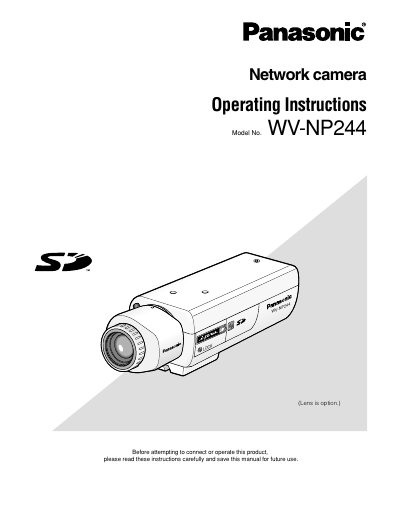
Panasonic WV-NP244 Network Camera Operating Instructions
This document provides operating instructions for the Panasonic WV-NP244 network camera. It details how to monitor images from a single or multiple cameras on a PC via a web browser and explains how to configure various settings using the Setup Menu.
The manual covers essential operations such as displaying live video, adjusting image types (MPEG-4/JPEG), changing resolution, zooming, and controlling audio. It also includes instructions for setting up alarms, configuring network parameters, managing user authentication, and performing maintenance tasks.
Panasonic WV-NP244 specifications
| Image sensor resolution | 640 x 480 pixels (VGA) |
|---|---|
| Maximum frame rate | 30 fps (VGA resolution) |
| Power over Ethernet (PoE) compliance | IEEE802.3af |
| Audio compression method | G.726 (ADPCM) 32 kbps/16 kbps |
| Transmission type | Pull / Push |
| Maximum concurrent camera streams | 8 cameras (4 groups x 2) |
| Operating temperature range | +5 °C to +35 °C (41 °F‑95 °F) |
| Maximum humidity | Below 90 % |
| Supported SD‑memory‑card capacities | 64 MB – 1 GB |
Source: Panasonic WV-NP240/WV-NP244 Network Camera User Manual
All Panasonic WV-NP244 documents by type
Day-to-day operation, settings and troubleshooting. Start here if the product is already set up.
Questions answered in these manuals
What is the default login for the camera?
The default user name is 'admin' and the default password is '12345'.
From: Panasonic WV-NP244 Network Camera Operating Instructions
How do I access the camera on a PC?
Enter the IP address designated using the Panasonic IP setup software in the browser's address box.
From: Panasonic WV-NP244 Network Camera Operating Instructions
What is the default password for the user name 'admin'?
The default password for the user 'admin' is 12345.
From: Panasonic WV-NP244 Network Camera Network Operating Instructions
How many users can access the camera concurrently when Unicast is selected?
Up to 8 users can access the camera concurrently when Unicast is selected.
From: Panasonic WV-NP244 Network Camera Network Operating Instructions
How do I power the camera using PoE?
Connect the camera to a Power over Ethernet (IEEE802.3af) device with a LAN cable; the cable supplies both data and power.
From: Panasonic WV-NP240/WV-NP244 Network Camera User Manual