
Key facts
- Brand
- Panasonic
- Model
- WV-NP1004
- Category
- Digital cameras
- Documents
- 3
- Languages
- EN
- Last added
- 2012-08-08
Start here
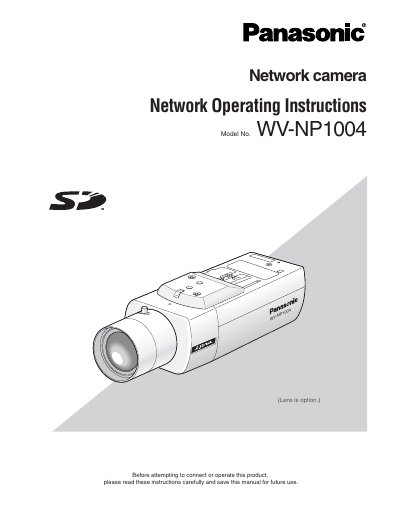
Panasonic WV-NP1004 Network Camera Operating Instructions
This document provides operating instructions for the Panasonic WV-NP1004 network camera. It details how to monitor images from a single or multiple cameras on a PC using a web browser and explains how to configure various settings via the SETUP menu displayed on a connected video monitor.
The guide covers essential functions such as displaying live images, capturing still pictures, adjusting image quality (brightness, zoom), switching between color and black-and-white modes, and managing alarm occurrences. It also includes instructions for transmitting images to an FTP server and configuring network security settings.
Panasonic WV-NP1004 specifications
| Resolution | 1.2 mega pixel CCD |
|---|---|
| Scanning method | Progressive scan |
| Encoding | JPEG/MPEG-4 dual encode |
| Minimum illumination | 1.0 lx (F1.4) |
| Network interface | 10BASE-T/100BASE-TX |
Source: Panasonic WV-NP1004 Network Camera Operating Instructions
All Panasonic WV-NP1004 documents by type
Day-to-day operation, settings and troubleshooting. Start here if the product is already set up.
Questions answered in these manuals
How do I adjust the back focus?
Back focus can be adjusted automatically using the buttons on the camera or by configuring settings on the [Camera] tab of the 'Camera setup' page.
From: Panasonic WV-NP1004 Network Camera Operating Instructions
What network speeds does this camera support?
The camera is designed to operate on a network using 10BASE-T or 100BASE-TX speeds.
From: Panasonic WV-NP1004 Network Camera Operating Instructions
How many users can access the camera concurrently?
Up to 8 users can access the camera concurrently when "Unicast" is selected for "Transmission type".
From: Panasonic WV-NP1004 Network Camera Operating Instructions
What happens if I switch between color and B/W frequently?
Switching action cannot be performed unlimitedly due to part durability, with a maximum of approximately 5,000 actions.
From: Panasonic WV-NP1004 Network Camera Operating Instructions
How many users can access the camera at the same time?
Up to eight users can access the camera concurrently.
From: Panasonic WV-NP1000/WV-NP1004 Network Camera Operating Instructions