
Key facts
- Brand
- Panasonic
- Model
- WJ-PB65E01
- Category
- Other Electronics
- Documents
- 3
- Languages
- EN
- Last added
- 2012-08-08
Start here
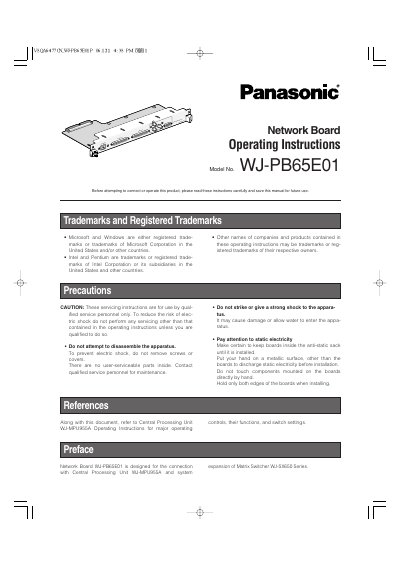
Panasonic WJ-PB65E01 Network Board Operating Instructions
This manual provides operating instructions for the Panasonic WJ-PB65E01 Network Board, designed for use with the Central Processing Unit WJ-MPU955A and the Matrix Switcher WJ-SX650 Series. It details the board's functions, including Ethernet connectivity and Video Signal (VS) input/output capabilities, allowing up to 512 cameras and 64 monitors to be connected.
Read onlinePanasonic WJ-PB65E01 specifications
| Maximum Cameras | 512 |
|---|---|
| Maximum Monitors | 64 |
| Ethernet Port | 10/100BASE-T |
| Compatible CPU | WJ-MPU955A |
| Compatible Switcher | WJ-SX650 Series |
Source: Panasonic WJ-PB65E01 Network Board Operating Instructions
All Panasonic WJ-PB65E01 documents by type
Day-to-day operation, settings and troubleshooting. Start here if the product is already set up.
Questions answered in these manuals
What are the factory default login credentials for the firmware update software?
The factory default user name is 'user' and the password is '12345'.
From: Panasonic WJ-PB65E01 Network Board Operating Instructions
What is the minimum memory required for the PC to run the firmware update tool?
The PC requires 128 MB or more of memory.
From: Panasonic WJ-PB65E01 Network Board Operating Instructions
What system can the Network Board WJ-PB65E01E expand?
The board is designed for the expansion of the Matrix Switcher WJ-SX650 Series.
From: Panasonic WJ-PB65E01E Network Board Operating Instructions
How many cameras can be connected using this board?
Up to 512 cameras become connectable with the network connection.
From: Panasonic WJ-PB65E01E Network Board Operating Instructions
What are the default login credentials for the firmware update software?
The factory default user name is 'user' and the password is '12345'.
Which operating systems are supported for the firmware update tool?
The tool supports Microsoft Windows 2000 Professional SP4, Windows XP Professional SP2, and Windows XP Home Edition SP2.