
Key facts
- Brand
- Panasonic
- Model
- KX-TG2740S
- Documents
- 2
- Languages
- EN
- Last added
- 2012-08-07
Start here
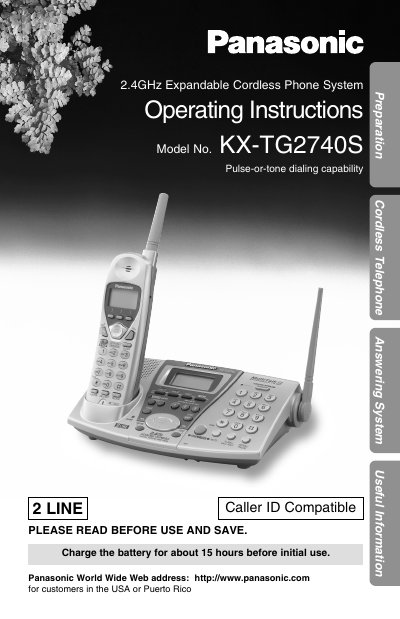
Panasonic KX-TG2740S Cordless Telephone Answering System Operating Instructions
This document provides operating instructions for the Panasonic KX-TG2740S 2.4GHz Expandable Cordless Telephone Answering System. It covers essential preparation steps, including charging the Ni-Cd battery for approximately 15 hours before initial use and locating the base unit for optimal performance away from electrical appliances. The guide details the installation process, connecting the AC adaptor and telephone line cords, and installing the battery in the handset.
Read onlinePanasonic KX-TG2740S specifications
| Frequency Band | 2.4GHz |
|---|---|
| Dialing Capability | Pulse-or-tone |
| Battery Type | Rechargeable Ni-Cd |
| Initial Charge Time | 15 hours |
| Compatibility | USA or Puerto Rico |
Source: Panasonic KX-TG2740S Cordless Telephone Answering System Operating Instructions
All Panasonic KX-TG2740S documents by type
Day-to-day operation, settings and troubleshooting. Start here if the product is already set up.
Questions answered in these manuals
How long should I charge the battery before first use?
You should charge the battery for about 15 hours before initial use.
From: Panasonic KX-TG2740S Cordless Telephone Answering System Operating Instructions
Where should I place the base unit for best performance?
Place it in a high and central location with no obstructions such as walls, away from electrical appliances like TVs or computers.
From: Panasonic KX-TG2740S Cordless Telephone Answering System Operating Instructions
How long is the antenna on the handset?
The antenna is a narrow protrusion that is 2 inches long.
From: Panasonic KX-TG2740S 2.4GHz Expandable Cordless Phone System Control Panel Layout
What happens when the handset is placed in the charging cradle?
The unit will beep to indicate the handset is properly placed for charging.
From: Panasonic KX-TG2740S 2.4GHz Expandable Cordless Phone System Control Panel Layout