
Key facts
- Brand
- Panasonic
- Model
- WE-MV180
- Category
- Other Electronics
- Industry
- Appliances
- Documents
- 2
- Languages
- EN
- Last added
- 2012-08-09
Start here
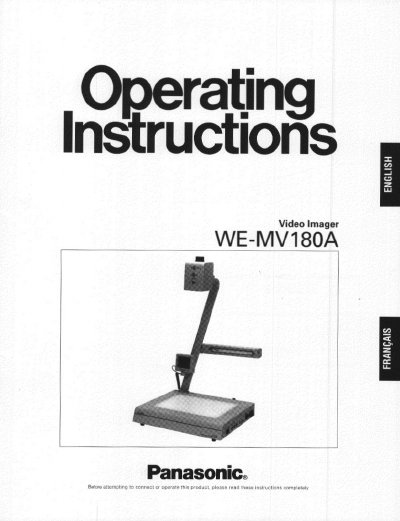
Panasonic WE-MV180A Video Imager User Manual
The Panasonic WE-MV180A Video Imager is designed for showing images of documents or objects to an audience by projecting them on a video monitor. It features a rotating camera, a 12x power zoom lens, and a stage with backlighting for transparencies or film. The unit includes an LCD monitor and various input/output connectors for audio and video signals.
Read onlinePanasonic WE-MV180 specifications
| Horizontal Resolution | 460 lines |
|---|---|
| Vertical Resolution | 350 lines |
| Zoom | 12 X power zoom lens |
| Input Power | 120V AC 60 Hz |
| Operating Temperature | 5°C - 35°C |
| Relative Humidity | below 80% |
| Weight | 7.9 kg (17.4 lb) |
| Dimensions | 400 x 688 x 365 mm |
All Panasonic WE-MV180 documents by type
Day-to-day operation, settings and troubleshooting. Start here if the product is already set up.
Questions answered in these manuals
How do I lock the lens focus?
Press the Focus Lock Button (FOCUS LOCK). The LED indicator will light to indicate the Lock mode is selected.
How do I project a positive image of negative film?
Place the negative film on the stage, zoom to the proper size, then press the Nega Button followed by the White Balance button.
How long does it take for the image to appear on the monitor after turning on the power?
It takes about nine seconds to display the image on the video monitor after turning the power on.
From: Panasonic WE-MV180 Video Imager Operating Instructions
How do I adjust the white balance for a transparent document?
Place a white paper on the stage, zoom to the desired size, and press the WHITE BALANCE button. It takes about two seconds to adjust.
From: Panasonic WE-MV180 Video Imager Operating Instructions