
Key facts
- Brand
- Panasonic
- Model
- WV-NF284
- Category
- Camcorders
- Industry
- Electronics
- Documents
- 2
- Languages
- EN · ZH
- Last added
- 2012-08-08
Start here
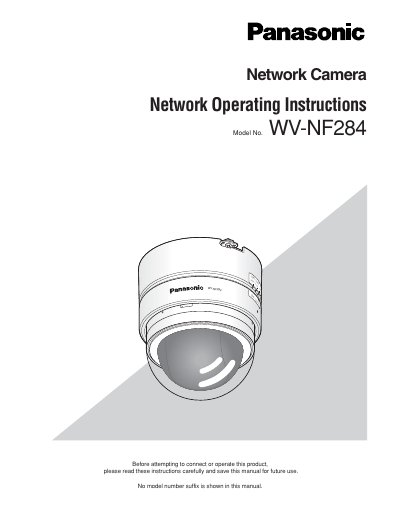
Panasonic WV-NF284 Network Camera Network Operating Instructions
This manual provides instructions for operating the Panasonic WV-NF284 network camera using a PC via a network. It details how to monitor live images, configure camera settings such as image quality and audio, and manage multi-screen displays. The document also explains how to handle alarms, transmit images to an FTP server, and save images to an SD memory card.
Read onlinePanasonic WV-NF284 specifications
| Image sensor | 1M type progressive‑scan CCD |
|---|---|
| Effective pixels | 659 (H) × 494 (V) |
| Scanning mode | Progressive scan |
| Minimum illumination (lens covered) | 1.5 Lux |
| Minimum illumination (electronic boost) | 0.09 Lux |
| Lens | 3.6× optical zoom, 28–10 mm focal length |
| Field of view | Horizontal 20°–73.5°, Vertical 15.6°–54° |
| Maximum aperture | F1.3–F1.7 |
| Network interface | 10Base‑T/100Base‑TX, RJ45 |
| Audio compression | G.726 ADPCM 32 kbps/16 kbps |
| Power supply | AC 24 V 50 Hz, DC 12 V, PoE (IEEE 802.3af) |
| Power consumption | ≈4.0 W (AC), ≈350 mA (DC), ≈4.0 W (PoE) |
| Operating temperature | -10 °C ~ +50 °C |
| Dimensions | 122 mm × 136 mm |
| Weight | ≈640 g |
All Panasonic WV-NF284 documents by type
Day-to-day operation, settings and troubleshooting. Start here if the product is already set up.
Questions answered in these manuals
What software is required to view images from the camera on a PC?
The viewer software "Network camera View3" must be installed on the PC to display images.
From: Panasonic WV-NF284 Network Camera Network Operating Instructions
What are the default user name and password for accessing the camera?
The default user name is "admin" and the default password is "12345".
From: Panasonic WV-NF284 Network Camera Network Operating Instructions
Does the camcorder support Power over Ethernet (PoE)?
Yes, the camcorder can be powered via PoE according to IEEE 802.3af.
What is the minimum illumination required for video capture?
The camera needs 1.5 Lux with the transparent lens, and as low as 0.09 Lux when electronic sensitivity boost is enabled.