
Key facts
- Brand
- Panasonic
- Model
- WV-LZ10
- Category
- Monitoring Equipment
- Industry
- Electronics
- Documents
- 2
- Languages
- EN
- Last added
- 2012-08-08
Start here
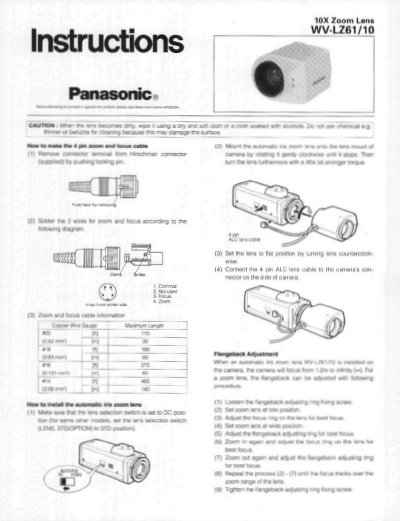
Panasonic WV-LZ61/10 10X Zoom Lens Installation Guide
This document provides installation instructions for the Panasonic WV-LZ61/10 10X zoom lens. It details how to connect the remote focus and zoom cables, including a wiring diagram for the 4-pin connector. The guide also explains the procedure for adjusting the flangeback to ensure proper focus across the zoom range.
Read onlinePanasonic WV-LZ10 specifications
| Focal length | 6-60mm |
|---|---|
| Maximum Aperture | F=1: 1.6 (wide) - 1 : 2.6 (tele) |
| Image Size | 3.6 (V) x 4.8 (H) mm |
| Mount | CS Mount (1"-32UN) |
| Filter Size | @35.5 mm P = 0.5 mm |
| Weight | 0.43 Ibs. (210g) |
| Ambient Operating Temperature | -10°C - +50°C |
Source: Panasonic WV-LZ61/10 10X Zoom Lens Installation Guide
All Panasonic WV-LZ10 documents by type
Day-to-day operation, settings and troubleshooting. Start here if the product is already set up.
Questions answered in these manuals
Can zoom and focus functions be activated simultaneously?
No, the zoom and focus functions cannot be activated simultaneously.
What is the minimum object distance?
The minimum object distance is 1.2m.
What is the maximum aperture of the WV-LZ81/10 lens?
The maximum aperture ranges from F1.4 in the wide position to F1.7 in the tele position.
From: Panasonic WV-LZ81/10 Automatic Iris Zoom Lens Instruction Manual
What is the minimum object distance for this lens?
The lens can focus on objects as close as 1.4 meters.
From: Panasonic WV-LZ81/10 Automatic Iris Zoom Lens Instruction Manual