
Key facts
- Brand
- Omron
- Model
- HJ-113
- Category
- Professional medical equipment
- Industry
- Health
- Documents
- 2
- Languages
- EN · ZH
- Last added
- 2012-05-07
Start here
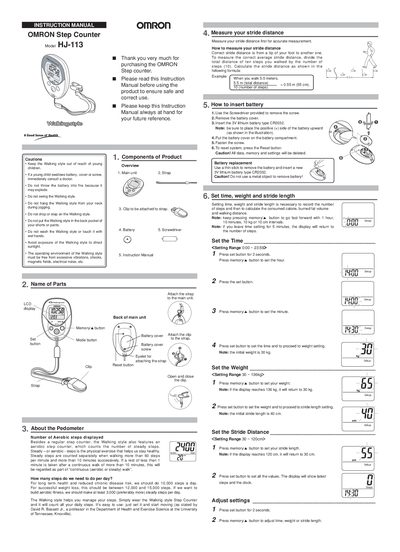
Omron HJ-113 Step Counter Instruction Manual
This manual explains how to assemble the Omron HJ-113 Step Counter, measure stride distance, insert a CR2032 battery, and set the time, weight, and stride length. It also describes how to attach the device to a strap, pocket, bag, or neck and how to operate the memory functions to view steps, aerobic steps, calories, and distance.
Additional sections cover troubleshooting common issues, caring for and storing the unit, and a detailed specifications table that lists power supply, measurement ranges, operating conditions, precision, dimensions, and accessories.
Omron HJ-113 specifications
| Power supply | 38V Lithium battery type CR2032 |
|---|---|
| Battery life | Approx. 6 months (10,000 steps/day) |
| Step count range | 0 to 99,999 steps |
| Aerobic step count range | 0 to 99,999 steps |
| Duration range | 0 to 1440 minutes |
| Calories range | 0 to 99,999 kcal |
| Walking distance range | 0.00 to 999.99 km |
| Operating temperature | -10°C to +40°C, 30‑85% RH |
| Storage temperature | -20°C to +60°C, 30‑95% RH |
| Step counting precision | ±5% |
| Time precision | ±30 seconds per month |
| External dimensions | Approx. 47 × 66 × 16 mm |
| Weight | Approx. 32 g (incl. battery) |
All Omron HJ-113 documents by type
Day-to-day operation, settings and troubleshooting. Start here if the product is already set up.
Questions answered in these manuals
What is the operating temperature range?
It operates between –10 °C and +40 °C with 30 %‑85 % relative humidity.
How do I install the battery?
Insert the supplied CR2082 battery with the correct polarity as shown in the manual.
How can I set my step length?
Use the setting function to adjust the step length within the range of 2 to 120 cm.