
Extech Model PRC20 is a thermocouple calibrator produced by Extech Instruments. The device is fully tested and calibrated when shipped, and will provide years of reliable service when used properly.
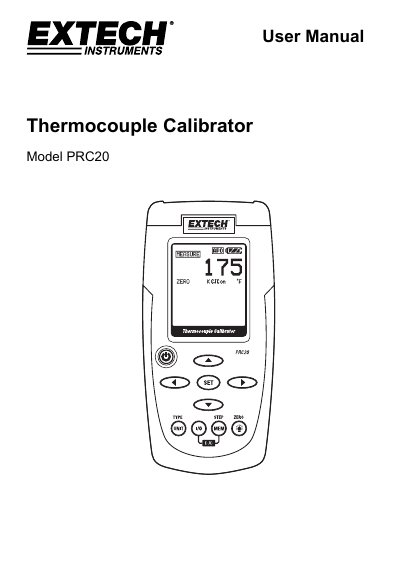
This user manual provides instructions for operating the Extech Model PRC20 thermocouple calibrator. It covers safety precautions, meter description, display layout, and operational modes including measure and source functions. The device can be used to calibrate thermocouples by outputting known temperatures or voltages. It includes features such as cold junction compensation, memory storage for five calibration points, and auto power-off after 10 minutes of inactivity.
The manual also details battery replacement, display indicators, and specifications including temperature ranges, accuracy, and operating conditions. Safety notes emphasize proper handling, battery disposal, and avoiding hazardous use.
| Display | Dot matrix LCD |
|---|---|
| Cold junction compensation | 0.03°C per °C (0.02°F per °F) |
| Meter Power | 6 AA batteries or AC adaptor |
| Operating Temperature | 5ºC to 40ºC (41ºF to 104ºF) |
| Operating Humidity | Max 80% up to 31ºC (87ºF) decreasing linearly to 50% at 40ºC (104ºF) |
| Dimensions | 159 x 80 x 44 mm (6.3 x 3.2 x 1.7") |
| Weight | 225g (8 oz.) without batteries |
| Type J Range | -50 to 1000°C (-58 to 1832°F) |
| Type K Range | -50 to 1370°C (-58 to 2498°F) |
| Type T Range | -120 to 400°C (-184 to 752°F) |
| Type E Range | -50 to 750°C (-58 to 1382°F) |
| Type C Range | 0 to 1750°C (32 to 3182°F) |
| Type R Range | 0 to 1750°C (32 to 3182°F) |
| Type S Range | 0 to 1750°C (32 to 3182°F) |
| Type N Range | -50 to 1300°C (-58 to 2372°F) |
| mV Measure Range | -10mV to 60mV |
| mV Source Range | -5mV to 55mV |
Simultaneously press the I/O and MEM buttons to turn the CJC (cold junction compensation) on or off. The CJC icon will indicate the status.
Replace the battery as soon as possible. Low battery power may cause inaccurate readings and erratic meter operation.
Select SOURCE mode, press the SET button to choose the memory location, use arrow buttons to adjust the value, then press the MEM button to store it.
The meter automatically powers off after 10 minutes of inactivity. To override, press and hold the POWER button until the “ATP” icon turns off.