
Key facts
- Brand
- EXTECH
- Model
- 45160
- Category
- Other Electronics
- Industry
- Electronics
- Documents
- 3
- Languages
- EN · ES
- Last added
- 2026-11-21
Start here
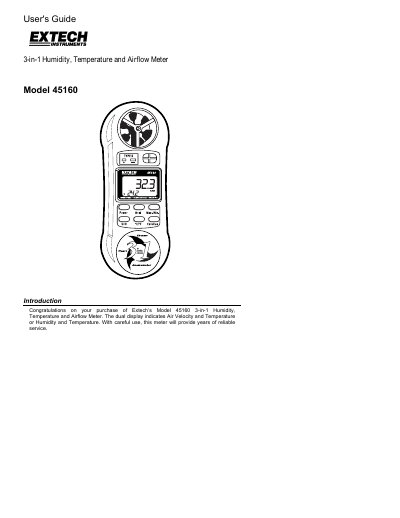
Extech 45160 3-in-1 Humidity Temperature Airflow Meter User's Guide
The Extech 45160 is a 3-in-1 Humidity, Temperature and Airflow Meter with a dual display that indicates Air Velocity and Temperature or Humidity and Temperature. It measures airflow in MPH, km/h, knots, m/s, or ft/min, relative humidity, and temperature using a thermistor or thermocouple.
This User's Guide explains how to turn the meter on and off, select functions and units of measure, and use Min/Max recording and Data Hold. It also includes specifications, warranty terms, and calibration and repair service information.
Extech 45160 specifications
| Air Velocity Range (MPH) | 0.9 to 67.0 MPH |
|---|---|
| Air Velocity Range (km/h) | 1.4 to 108.0 km/h |
| Temperature Range (Thermistor) | 32 to 122°F (-0 to 50°C) |
| Relative Humidity Range | 10.0 to 95.0% |
| Display Type | Dual Display LCD |
| Power Supply | 9 Volt Battery |
| Instrument Dimensions | 6.14 x 2.36 x 1.29 inches |
Source: Extech 45160 3-in-1 Humidity Temperature Airflow Meter User's Guide
All Extech 45160 documents by type
Day-to-day operation, settings and troubleshooting. Start here if the product is already set up.
Questions answered in these manuals
How do I turn the meter on?
Press the power button to turn power on. The meter performs a short self-test.
From: Extech 45160 3-in-1 Humidity Temperature Airflow Meter User's Guide
What does Data Hold do?
Press the HOLD button to freeze the reading in the display. Press it again to return to normal operation.
From: Extech 45160 3-in-1 Humidity Temperature Airflow Meter User's Guide
How do I switch between measurement modes?
Press the Function button to select the desired mode: Anemometer, %HR, or Temperature.
From: Extech 45160 Portable Three-in-One Temperature Humidity and Wind Speed Meter User Manual
What is the accuracy for temperature measurements?
±2.5°F (±1.2°C) for 0 to 50°C, and ±(1% + 2°F) for -148 to 2372°F.
From: Extech 45160 Portable Three-in-One Temperature Humidity and Wind Speed Meter User Manual
What units can measure air velocity?
The device measures air velocity in ft/min, m/s, km/h, MPH, and knots.
From: Extech 45160 Pocket Hygro-Thermo-Anemometer Specifications Sheet
Does the meter have a data hold function?
Yes, it has Data Hold to freeze the displayed value.
From: Extech 45160 Pocket Hygro-Thermo-Anemometer Specifications Sheet