
Key facts
- Brand
- EXTECH
- Model
- MO55
- Category
- Other Electronics
- Industry
- Industrial
- Documents
- 2
- Languages
- EN · ZH
- Last added
- 2026-11-19
Start here
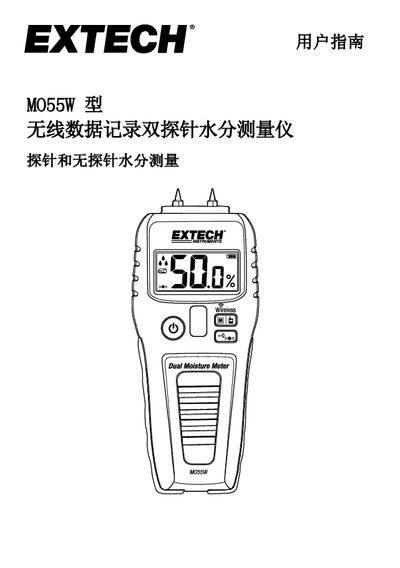
Extech MO55W Wireless Data Logging Dual-Probe Moisture Meter User Guide
The MO55W is a compact handheld moisture meter that can measure wood, concrete, drywall, tile and other building materials. It offers both invasive probe measurements for highest accuracy and non‑probe (capacitive) measurements for quick dry‑wet comparisons. Readings are shown on an LCD with numeric values, sound tones and water‑drop icons, and can be transmitted via the built‑in Bluetooth DAT12 module to the free ExView® W app on iOS or Android devices.
The guide covers instrument layout, operation steps, battery replacement, wireless setup, alarm configuration, auto power‑off (APO) behavior, and maintenance. Detailed specifications, FCC compliance information, and contact details for support are also provided. This manual is written in Chinese.
Extech MO55 specifications
| Measurement type | Relative Moisture Content (%) |
|---|---|
| Measurement principle (Pin) | Electrical resistance |
| Measurement principle (Pinless) | Electrical capacitance |
| Measurement depth (Pinless) | < 25mm (1 in.) |
| Auto Calibration | Pinless mode in open air |
| Measurement indication | Digital, Moisture Drop let icons and audible tone |
| Resolution | 0.1% |
| Accuracy (Pin mode) | ± (3% + 5 digits) |
| Electrode pin length | 0.3” (8mm) |
| Electrode pin type | Stainless steel |
| Power supply | One (1) 9V Battery |
| Dimensions | 170 x 65 x 30mm |
| Weight | 120g (4.2 oz.) |
All Extech MO55 documents by type
Day-to-day operation, settings and troubleshooting. Start here if the product is already set up.
Questions answered in these manuals
What are the measurement ranges for Pin mode?
For Pin mode, the range is 5.0~50.0% for wood and 1.4~33.0% for building materials.
What are the measurement ranges for Pinless mode?
For Pinless mode, the range is 0.0~99.9% for both wood and building materials.
How do I replace the battery?
When the battery icon is blank or flashing, open the rear battery compartment, replace the 9 V battery with correct polarity, and close the compartment securely.
From: Extech MO55W Wireless Data Logging Dual-Probe Moisture Meter User Guide
How do I enable wireless data transmission?
Press the mode button briefly to select a measurement mode, then long‑press the same button to enable wireless transmission; a wireless icon will appear on the display.
From: Extech MO55W Wireless Data Logging Dual-Probe Moisture Meter User Guide