
D-Link DI-604 Express EtherNetwork broadband router quick installation guide: package contents, cable connections, Setup Wizard and adapter settings.
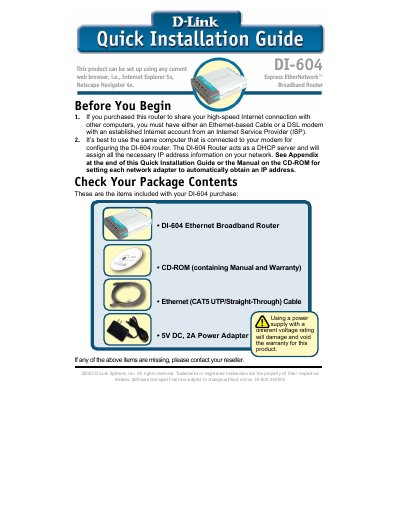
This Quick Installation Guide from D-Link explains how to set up the DI-604 Express EtherNetwork Broadband Router for sharing a high-speed Internet connection. It lists the package contents, including the router, CD-ROM with manual and warranty, Ethernet CAT5 UTP/straight-through cable and a 5V DC, 2A power adapter, and then describes how to connect the power adapter, the WAN port to a Cable or DSL modem, and LAN port 1 to the computer used for configuration.
The guide then walks through the web-based Setup Wizard, opened by typing http://192.168.0.1 into a browser and logging in with the username "admin" and a blank password. It covers setting a new password, choosing a time zone, and selecting the Internet connection type (Dynamic IP Address, Static IP Address, PPPoE, PPTP, BigPond Cable or Others), followed by testing the Internet connection. An appendix shows how to configure a network adapter to obtain an IP address automatically in Windows XP and Macintosh OS X, and the last page lists D-Link technical support contacts.
| Power Adapter | 5V DC, 2A |
|---|---|
| LAN Ports | 4 Ethernet LAN ports (LAN port 1 plus 3 remaining ports) |
| Included Cable | Ethernet (CAT5 UTP/Straight-Through) cable |
| Default IP Address | 192.168.0.1 |
| Default Username | admin |
| Default Password | Blank (no password) |
| DHCP | Router acts as a DHCP server |
Open your web browser and type http://192.168.0.1 into the URL address box, then press Enter or Return.
Type "admin" for the username and leave the password field blank, then click OK.
Press the Reset button, which restores the router to its original factory default settings.
Contact your Internet Service Provider if you are unsure of which setting to select.