
Key facts
- Brand
- Philips
- Model
- PET941D
- Category
- Other
- Industry
- Electronics
- Documents
- 2
- Languages
- EN
- Last added
- 2012-03-27
Start here
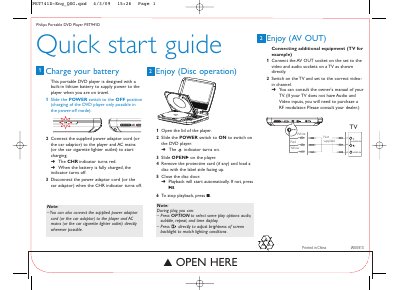
Philips PET941D Portable DVD Player Quick Start Guide
The guide explains how to charge the built‑in lithium battery. Slide the POWER switch to OFF, connect the supplied AC or car adaptor, and watch the CHR indicator turn red while charging. When fully charged the indicator turns off and the adaptor can be disconnected.
To start playback, open the lid, turn the POWER switch ON, load a disc with the label side up and close the door. Playback begins automatically, or you can press the play button. The guide also shows how to connect the AV OUT socket to a TV for video and audio, and notes that an RF modulator may be needed if the TV lacks AV inputs.
Philips PET941D specifications
| Dimensions | 240 x 178 x 40 mm |
|---|---|
| Weight | 1.1 kg |
| Power supply input | 100‑240 V 50/60 Hz 0.3 A |
| Power supply output | DC 9 V 1 A |
| Power consumption | 9 W |
| Operating temperature range | 0‑45 °C |
| Laser wavelength | 650 nm |
| Video system | NTSC & PAL |
All Philips PET941D documents by type
The shortest path to a working setup, usually only a few pages.
Day-to-day operation, settings and troubleshooting. Start here if the product is already set up.
Questions answered in these manuals
How do I register my Philips PET941D player for support?
Visit www.philips.com/welcome and follow the registration instructions provided in the manual.
How can I adjust the screen backlight brightness?
Use the LCD Backlight setting in the Preference menu to increase or decrease the brightness level.