
Key facts
- Brand
- Philips
- Model
- MCD190
- Documents
- 4
- Languages
- ES · ZH
- Last added
- 2011-10-21
Start here
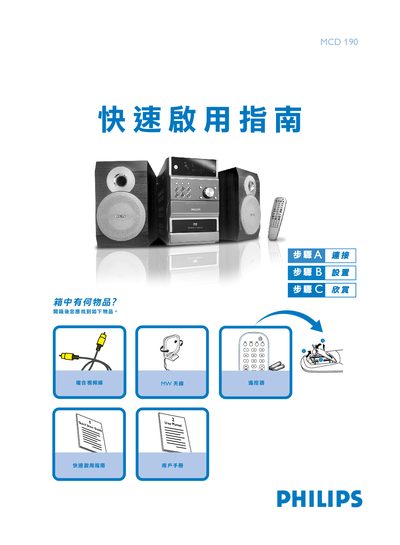
Philips MCD190 DVD Player Quick Start Guide
The guide provides step‑by‑step instructions for connecting the DVD player to speakers, antennas and a TV, as well as configuring the system menu and language settings. It also covers how to insert a disc and start playback.
Key sections include speaker wiring, MW antenna connection, composite video hookup, TV setup, system and language menus, disc insertion, and basic playback controls. This manual is written in Chinese.
Philips MCD190 specifications
| Amplifier Output Power | 2 x 4 W RMS |
|---|---|
| Peak Power (PMPO) | 100 W |
| Signal‑to‑Noise Ratio | ≥ 60 dBA |
| Frequency Response | 63 – 16000 Hz (±3 dB) |
| Speaker Impedance | 4 Ω |
| Laser Type | Semiconductor |
| Supported Video Formats | 4:3 / 16:9 |
All Philips MCD190 documents by type
Day-to-day operation, settings and troubleshooting. Start here if the product is already set up.
The shortest path to a working setup, usually only a few pages.
Questions answered in these manuals
What voltage selector setting should I use for 110‑127 V regions?
Set the voltage selector switch to 110V‑127V before turning the unit on.
How do I clean the DVD player's laser head?
Use Philips CD laser‑head cleaning fluid or a compatible cleaning solution as described in the maintenance section.
How do I connect the speakers?
Connect the speaker wires to the SPEAKERS terminals, with the right speaker to the RIGHT terminal and the left speaker to the LEFT terminal.
How do I connect the speakers?
Connect the speaker wires to the SPEAKERS terminals, with the right speaker to the RIGHT terminal and the left speaker to the LEFT terminal.
How do I connect the DVD player to my TV?
Use the composite video cable (yellow) to connect the DVD player's VIDEO jack to the TV's video input (A/V In, Video In, Composite or Baseband).