
Key facts
- Brand
- Philips
- Model
- MCD170
- Documents
- 5
- Languages
- ZH · EN
- Last added
- 2011-10-17
Start here
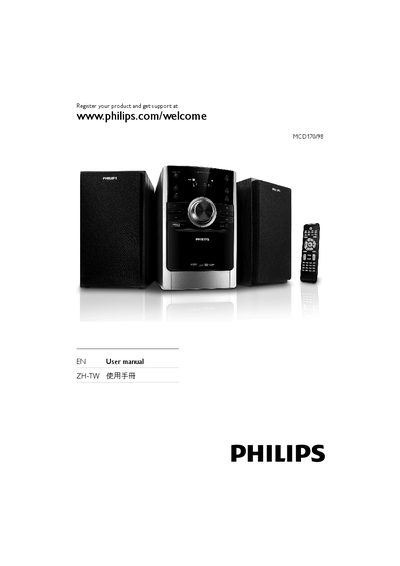
Philips MCD170/98 DVD Micro Theater User Manual
This manual introduces the Philips MCD170/98 DVD Micro Theater, describing its components, remote control, and supported media formats. It guides you through connecting speakers, audio/video cables, the MW antenna, and power, as well as preparing the unit for use.
Detailed sections cover safety precautions, basic operation such as playing DVDs, USB files, DivX video, and radio, as well as advanced features like sound effects, timers, and alarm settings. Troubleshooting tips help resolve common issues with the remote control, power, audio, and USB playback.
Philips MCD170 specifications
| Output Power | 2 × 5 W RMS / 400 W PMPO |
|---|---|
| Audio Enhancement Modes | 4 modes (dynamic bass enhancement) |
| Audio System | Dolby Surround |
| Supported Video Formats | DVD+R, DVD‑Video, Picture CD, CD‑SVCD |
| Dimensions (W×H×D) | 147 mm × 231 mm × 209 mm |
| Weight | 4.8 kg |
| Power Supply | 100‑240 VAC, 50/60 Hz |
All Philips MCD170 documents by type
Day-to-day operation, settings and troubleshooting. Start here if the product is already set up.
Questions answered in these manuals
How do I play a CD?
Press the DISC button, open the tray, place the CD with the label side up, close the tray, and the system will start playback automatically.
How can I play audio from a USB device?
Insert the USB flash drive into the USB port, press the USB button to select USB mode, and the player will play the audio files just like a CD.
How can I register my Philips DVD Micro Theater for support?
Visit www.philips.com/welcome and enter your product model MCD170/98 to register.
How do I set the clock on the remote control?
Press the CLOCK button on the remote and follow the on‑screen prompts to set the time and choose 12‑hour or 24‑hour mode.
What video formats does the MCD170 support?
It supports DVD+R, DVD‑Video, Picture CD, and CD‑SVCD.
What are the power requirements for the device?
The unit operates on 100‑240 VAC at 50/60 Hz.