
Key facts
- Brand
- Philips
- Model
- MCD159
- Documents
- 3
- Languages
- EN · ZH
- Last added
- 2012-03-16
Start here
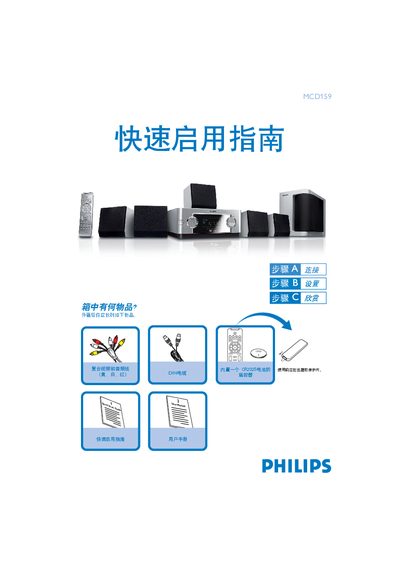
Philips MCD159 DVD Player Quick Start Guide
This guide shows what is included in the box and provides step‑by‑step instructions for setting up the Philips MCD159 DVD player. It lists the Quick Start Guide, User Manual and a remote control that contains a CR2025 battery.
The document explains how to connect the speaker system and TV using the supplied DIN and composite video/audio cables, how to adjust DVD menu settings, and how to play a disc. Basic remote‑control functions and safety notes are also covered.
Philips MCD159 specifications
| Supported Video Outputs | Component, Composite, S‑Video |
|---|---|
| Aspect Ratio | 4:3, 16:9 |
| Environmental Protection Use Period | 10 years |
All Philips MCD159 documents by type
Day-to-day operation, settings and troubleshooting. Start here if the product is already set up.
The shortest path to a working setup, usually only a few pages.
Questions answered in these manuals
What video connection types does the MCD159 support?
The MCD159 provides component video, composite video, and S‑Video connections.
What media formats can be played on the MCD159?
The player can handle DVD, VCD, CD, MP3, DivX, and WMA files.
How do I connect the DVD player to the TV?
Use the supplied composite video/audio cable to connect the DVD player's video and audio outputs to the TV and set the TV to the correct input channel.
How do I play a disc?
Press the OPEN/CLOSE button to open the tray, insert a disc with the label side up, close the tray, and playback will start automatically.
What audio formats does the Philips MCD159 support?
It supports DTS, Dolby Digital and Dolby Surround audio formats.
Which video disc formats can be played on the MCD159?
The device can play DVD+R, DVD‑R, Video CD, SVCD and Picture CD discs.