
Key facts
- Brand
- Philips
- Model
- DS9800W
- Industry
- Electronics
- Documents
- 2
- Languages
- ZH
- Last added
- 2012-03-27
Start here
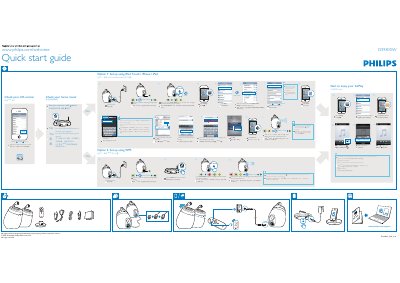
Philips DS9800W Quick Start Guide
This guide walks you through the initial configuration of the Philips DS9800W Fidelio AirPlay device. It explains how to select a Wi‑Fi network, use the WPS button on a compatible router, or set up the device manually via an iPhone, iPad, or iPod Touch.
The document also includes troubleshooting tips for common issues such as the device not reaching a solid green light, and instructions for checking iOS version and router settings before using AirPlay. This manual is written in Chinese.
All Philips DS9800W documents by type
The shortest path to a working setup, usually only a few pages.
Day-to-day operation, settings and troubleshooting. Start here if the product is already set up.
Questions answered in these manuals
Which devices can stream music to the DS9800W?
The speaker can stream from iPod, iPhone, iPad, and any device that supports Apple AirPlay.
What iOS version is required for AirPlay with the DS9800W?
The device requires iOS version 4.3 or later.
What should I do if the green light does not become solid after setup?
Press any key for 5 seconds to restart the setup process, then repeat the steps from the beginning. If it still fails, try the alternative setup option.