
Key facts
- Brand
- Panasonic
- Model
- DMC-GF5
- Category
- Digital cameras
- Industry
- Electronics
- Documents
- 4
- Languages
- EN · ES · ZH
- Last added
- 2012-08-10
Start here
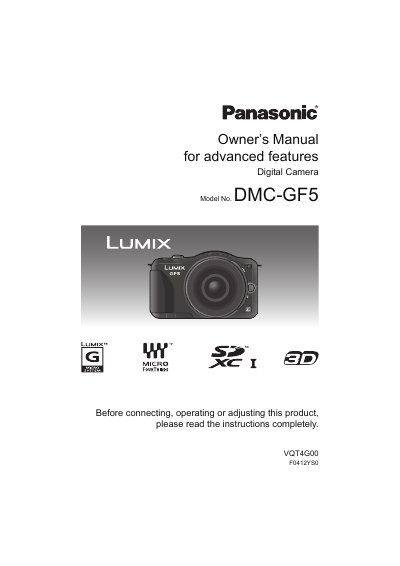
Panasonic DMC-GF5 Digital Camera User Manual
This manual provides comprehensive instructions for the Panasonic DMC-GF5 digital camera. It covers essential topics including care of the camera, standard accessories, and names and functions of components on the camera body and lens. The guide details how to prepare the camera, such as changing the lens, attaching the shoulder strap, and charging the battery. It also explains how to insert and remove memory cards and set the date and time.
Read onlinePanasonic DMC-GF5 specifications
| Lens Mount | Micro Four Thirds (Micro 4/3™) |
|---|---|
| HDMI Interface | HDMI mini connector |
| AV Output | AV OUT/DIGITAL connector |
| Touch Screen | Pressure‑sensing LCD touch screen |
All Panasonic DMC-GF5 documents by type
Day-to-day operation, settings and troubleshooting. Start here if the product is already set up.
Questions answered in these manuals
What happens if the camera is dropped or hit?
The lens, LCD monitor, or external case may be damaged, and the camera may malfunction or fail to record images.
How long should the camera sit if condensation forms on the lens?
You should turn the camera off and leave it for about 2 hours until the fog disappears naturally.
What type of memory cards are compatible with this camera?
The camera supports SD, SDHC, and SDXC memory cards.
From: Panasonic DMC-GF5X/DMC-GF5K/DMC-GF5 Digital Camera User Manual
Can I repair the camera myself?
No, you should not repair the unit yourself; take it to qualified repair personnel.
From: Panasonic DMC-GF5X/DMC-GF5K/DMC-GF5 Digital Camera User Manual
What type of memory cards are supported?
The camera supports SD, SDHC, and SDXC memory cards.
Can I use lenses from other systems?
Lenses with a Micro Four Thirds mount can be used directly; other lenses require the DMW‑MA1 adapter.