
Key facts
Start here
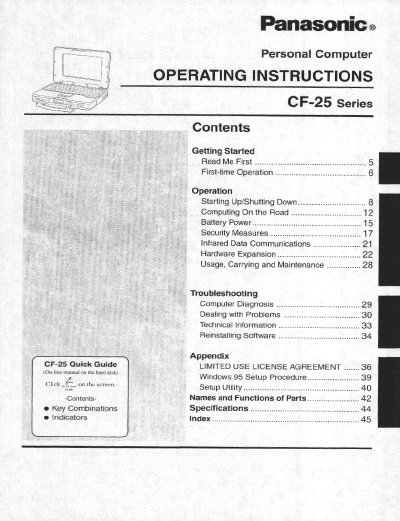
Panasonic CF25LJF8EAM Manual
This manual provides operating instructions for the Panasonic CF-25 series personal computer. It covers getting started with the device, operation procedures including starting up and shutting down, computing on the road, battery power management, and security measures such as infrared data communications.
The document also details hardware expansion options, usage guidelines, carrying methods, and maintenance requirements. A troubleshooting section addresses computer diagnosis and dealing with problems, while technical information includes software reinstallation procedures.
Panasonic CF-25 specifications
| Image Sensor | 1/3-inch interline transfer CCD |
|---|---|
| Horizontal Pixels | 771 horizontal pixels |
| Dynamic Range | 40 dB |
| Signal-to-noise ratio | 50 dB |
| Minimum Illumination | 5 lux (0.5 footcandle) |
| Horizontal Resolution | 480 lines |
| Operating Temperature | -10°C - +50°C (14°F - 122°F) |
| Humidity | below 90% |
| Input Power Source | AC 24 V (19.5 V-28 V) |
Source: Panasonic WV-CF254 Color CCTV Camera Operating Instructions
All Panasonic CF-25 documents by type
Day-to-day operation, settings and troubleshooting. Start here if the product is already set up.
Questions answered in these manuals
What safety warning is associated with the lithium battery?
The computer contains a lithium battery to store date, time, and data; it should only be exchanged by service personnel due to explosion risk.
What is the rating of the fuse fitted in the mains plug?
A 3 amp fuse is fitted in the moulded three pin mains plug.
What are the recommended operating and storage temperature ranges for the CF-25?
The computer should be operated between 5 °C and 35 °C, and stored between -20 °C and 60 °C.
What is the maximum recommended length for an interface cable connected to the CF-25?
The manual recommends against using an interface cable longer than 3 m.
What type of power supply is required?
The camera requires a Class 2 power supply providing 24 V AC.
From: Panasonic WV-CF254 Color CCTV Camera Operating Instructions
What should be done if the camera is exposed to moisture?
Turn off the power immediately and ask a qualified service person for servicing.
From: Panasonic WV-CF254 Color CCTV Camera Operating Instructions