
Key facts
- Brand
- Panasonic
- Model
- DMC-GF3
- Category
- Digital cameras
- Industry
- Electronics
- Documents
- 2
- Languages
- EN · ZH
- Last added
- 2012-08-10
Start here
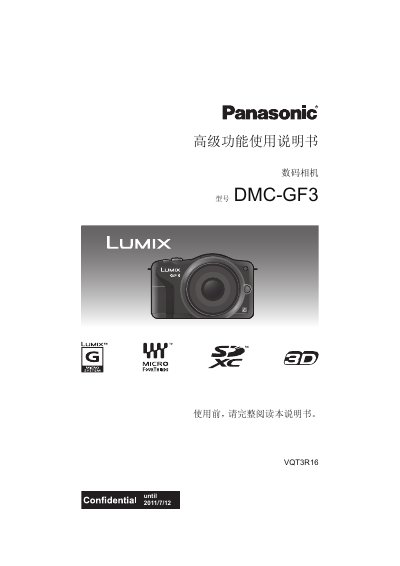
panasonic DMC-GF3 digital camera Manualpanasonic DMC-TZ2 DMC-TZ3 digital camera Manual
This manual covers everything needed to start using the Panasonic DMC‑GF3 digital camera, from safety precautions and standard accessories to detailed explanations of each button, menu, and shooting mode. It guides you through preparing the camera, attaching lenses, charging the battery, inserting memory cards, and configuring date/time settings.
Later sections describe how to capture still and moving images, adjust exposure, focus, white balance, and creative effects, as well as how to playback, edit, and connect the camera to external devices such as TVs, PCs, and printers. Troubleshooting tips and notes on handling the camera in various environments are also included. This manual is written in Chinese.
Panasonic DMC-GF3 specifications
| Product Location | Digital Camera Bottom |
|---|---|
| Battery Type | Lithium ion battery pack |
| Charger Voltage | AC between 110 V and 240 V |
| Lens Model 1 | LUMIX G 14 mm/F2.5 ASPH. |
| Lens Model 2 | LUMIX G VARIO 14–42 mm/F3.5–5.6 ASPH./MEGA O.I.S. |
Source: Panasonic DMC-GF3C/DMC-GF3K Digital Camera Owner's Manual
All Panasonic DMC-GF3 documents by type
Day-to-day operation, settings and troubleshooting. Start here if the product is already set up.
Questions answered in these manuals
Where is the serial number located?
The serial number is on the tag located on the underside of your camera.
From: Panasonic DMC-GF3C/DMC-GF3K Digital Camera Owner's Manual
What happens if you use other AV or USB cables?
You should not use any other AV or USB connection cables except the supplied ones.
From: Panasonic DMC-GF3C/DMC-GF3K Digital Camera Owner's Manual
How should I handle the camera to avoid damage?
Do not subject the camera to strong shock, impact, or pressure, and avoid using it in dusty, wet, or sandy environments.
From: panasonic DMC-GF3 digital camera Manualpanasonic DMC-TZ2 DMC-TZ3 digital camera Manual
What types of memory cards can I use with the DMC‑GF3?
The camera supports SD, SDHC, and SDXC memory cards.
From: panasonic DMC-GF3 digital camera Manualpanasonic DMC-TZ2 DMC-TZ3 digital camera Manual