
Key facts
- Brand
- Panasonic
- Model
- DMC-LX100
- Category
- Digital cameras
- Industry
- Electronics
- Documents
- 3
- Languages
- ZH · EN
- Last added
- 2026-10-22
Start here
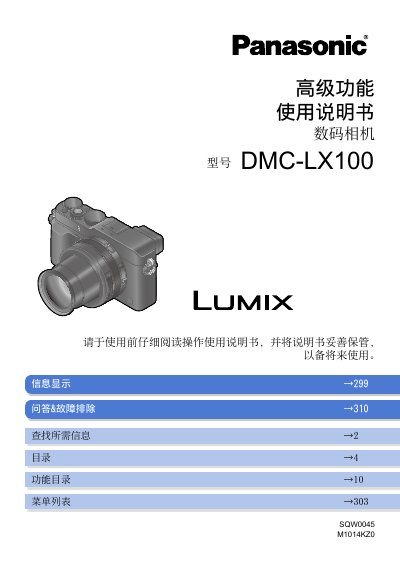
Panasonic DMC-LX100 Digital Camera Advanced Features User Manual
This document serves as the Advanced Features User Manual for the Panasonic DMC-LX100 digital camera. It contains detailed operational guides for shooting, playback, settings, and Wi-Fi functions, as well as troubleshooting information. The manual is designed to help users utilize the camera's advanced capabilities effectively. This manual is written in Chinese.
Read onlinePanasonic DMC-LX100 specifications
| Model Number | DMC-LX100 |
|---|---|
| Battery Pack | DMW-BLG10E |
| Battery Charger | DE-A98A |
| USB Connection Cable | K1HY08YY0031 |
| Flash | VEK0V37Z1-A |
| Soft Case | VFC5140 |
| Lens Cap | SXQ0155 |
| Shoulder Strap | VFC5137 |
Source: Panasonic DMC-LX100 Digital Camera Operating Instructions
All Panasonic DMC-LX100 documents by type
Day-to-day operation, settings and troubleshooting. Start here if the product is already set up.
Questions answered in these manuals
What is the model of the digital camera covered in this manual?
This manual is for the Panasonic DMC-LX100 digital camera.
From: Panasonic DMC-LX100 Digital Camera Advanced Features User Manual
How can a user quickly find specific information within this manual?
Users can click on page numbers to jump to linked pages or use the search bar in Adobe Reader to find keywords.
From: Panasonic DMC-LX100 Digital Camera Advanced Features User Manual
What is the minimum screw length restriction for tripods that can be attached to this camera?
You must not attach a tripod with screws that are 5.5 mm or longer, as it may damage the unit.
What should I do if condensation occurs on the lens or monitor?
Turn off the camera and wait about two hours before using it until the fogging clears naturally.
From: Panasonic DMC-LX100 Digital Camera Operating Instructions
Can I format the memory card on my PC?
No, you should format the card on the camera only to ensure proper operation.
From: Panasonic DMC-LX100 Digital Camera Operating Instructions