
Key facts
- Brand
- Panasonic
- Model
- DMC-FP1
- Category
- Digital cameras
- Industry
- Electronics
- Documents
- 2
- Languages
- EN
- Last added
- 2012-08-09
Start here
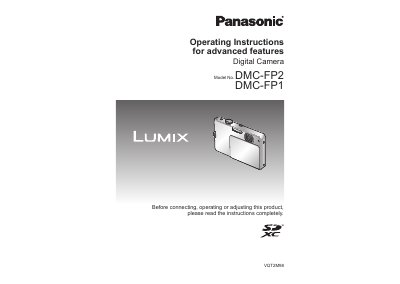
Panasonic DMC-FP1/FP2 Advanced Features Operating Instructions
This document provides operating instructions for the Panasonic DMC-FP1 and DMC-FP2 digital cameras. It details how to use advanced features beyond basic operation, including various scene modes, exposure compensation, and image quality settings.
The manual covers procedures for taking pictures with specific modes like Intelligent Auto, Normal Picture, and Scene Mode. It also explains how to view and manage images using playback functions such as Calendar Playback, Slide Show, and Favorite Play.
All Panasonic DMC-FP1 documents by type
Day-to-day operation, settings and troubleshooting. Start here if the product is already set up.
Questions answered in these manuals
What is the built-in memory capacity?
The camera has a built-in memory of 11 MB.
From: Panasonic DMC-FP1/FP2 Advanced Features Operating Instructions
Can I take close-up pictures?
Yes, you can take close-up pictures using the [MACRO ZOOM] function.
From: Panasonic DMC-FP1/FP2 Advanced Features Operating Instructions
What must be done before using the camera for the first time?
You must charge the battery and set the clock because the battery is not charged when the camera is shipped.
From: Panasonic DMC-FP1/FP2 Digital Camera Operating Instructions
Can I record pictures if I do not have an optional memory card?
Yes, you can record or play back pictures on the built-in memory when you are not using a card.
From: Panasonic DMC-FP1/FP2 Digital Camera Operating Instructions