
This document introduces the evaluation system of MAX1454 circuit, including master board and evaluation board. The evaluation system can be expanded to 15 positions.
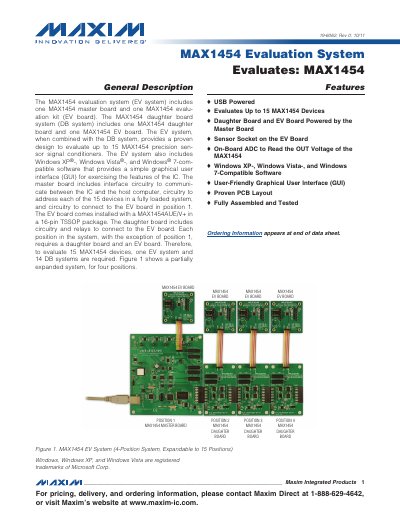
The MAX1454 Evaluation System includes a master board, an EV board, and optional daughter boards that together can evaluate up to 15 MAX1454 precision sensor signal conditioners. The system is USB‑powered and comes with Windows‑compatible software that provides a graphical user interface for configuring and testing the ICs.
The manual covers hardware component lists, jumper settings, software installation steps, and detailed descriptions of the software’s Register Settings, ADC Reading, Flash, and Log File tabs. It also provides quick‑start procedures, wiring diagrams, and troubleshooting guidance.
| Maximum devices evaluated | 15 |
|---|---|
| Power source | USB powered (optional external 5 V supply) |
| On‑board ADC | 16‑bit ADC (MAX1134) |
| Supported operating systems | Windows XP, Windows Vista, Windows 7 |
The system can evaluate up to 15 MAX1454 devices.
The software works with Windows XP, Windows Vista, and Windows 7.
The system is powered via USB, and an external 5 V supply can be used for additional power.