
Key facts
- Brand
- Philips
- Model
- SPM4700
- Category
- Mouse keyboard
- Industry
- Computers
- Documents
- 2
- Languages
- EN
- Last added
- 2012-03-26
Start here
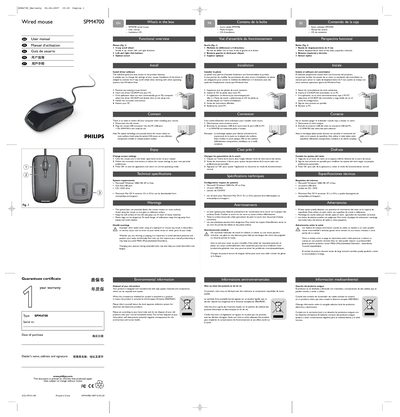
Philips SPM4700 Wired Mouse User Manual
The SPM4700 is a wired optical mouse with a 4‑way scroll wheel, left‑ and right‑click buttons, and an optical sensor. The package includes the mouse, a user manual, and an installation CD. The manual guides you through driver installation, connecting the mouse via USB, and adjusting settings through the on‑screen application.
System requirements are listed (Windows 2000/ME/XP/Vista, a free USB port, and a CD/DVD drive). Health warnings advise proper posture to avoid musculoskeletal strain, and environmental information explains recycling and disposal according to EU Directive 2002/96/EC.
Philips SPM4700 specifications
| Supported operating systems | Microsoft Windows 2000, ME, XP, Vista; Macintosh Mac OS X 10.1.x‑10.4.x |
|---|---|
| USB interface | One free USB port required |
| Optical sensor compatibility | Works on most surfaces, avoid glass, reflective, transparent, metallic or complex‑pattern surfaces |
All Philips SPM4700 documents by type
Day-to-day operation, settings and troubleshooting. Start here if the product is already set up.
Questions answered in these manuals
Which surfaces should I avoid using with the optical sensor?
Do not use the mouse on glass, reflective, transparent, metallic or complex‑pattern surfaces, as detection may be unreliable.
What should I do with the mouse when it reaches end‑of‑life?
Recycle the product according to local electronic waste collection rules; the crossed‑out wheel symbol indicates it is covered by EU Directive 2002/96/EC.
What are the system requirements for the mouse?
The mouse works with Microsoft Windows 2000, ME, XP or Vista, requires one free USB port and a CD/DVD drive, and Mac OS X 10.1.x‑10.4.x drivers are available for download.
How many directions does the scroll wheel support?
The scroll wheel can scroll up, down, left, and right – a total of four directions.