
Key facts
- Brand
- Philips
- Model
- HTS9810
- Documents
- 2
- Languages
- ZH
- Last added
- 2012-02-28
Start here
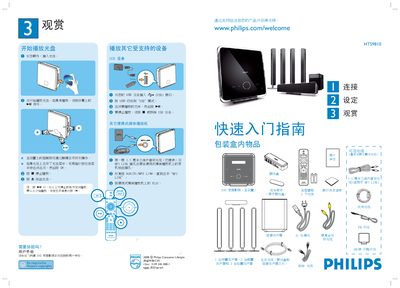
Philips HTS9810 DVD Home Theater User Manual
This guide lists everything that comes in the box – the main unit, remote, batteries, speakers, power cables, audio and HDMI cables, and optional antennas – and shows how to unpack and position the components. It then walks you through the initial setup, including selecting the display language and configuring the room‑type settings.
Detailed sections cover connecting the main unit to the TV (HDMI or composite), wiring the front, rear and sub‑woofer speakers, attaching the AM/MW and FM antennas, and using the USB and MP3 LINK ports for media playback. Playback controls, disc insertion, and menu navigation are explained with on‑screen prompts. This manual is written in Chinese.
All Philips HTS9810 documents by type
Day-to-day operation, settings and troubleshooting. Start here if the product is already set up.
Questions answered in these manuals
How do I start playing a DVD?
Insert the disc with the label facing outward, then press the play button on the main unit’s touch screen; if it does not start, press the on‑screen ▶ symbol.
How do I change the on‑screen language?
Select ‘OSD Language’ from the menu, choose the desired language, and confirm with the X button.