
Key facts
- Brand
- Philips
- Model
- DVP5986K
- Category
- Player
- Industry
- Appliances
- Documents
- 5
- Languages
- ZH
- Last added
- 2012-02-28
Start here
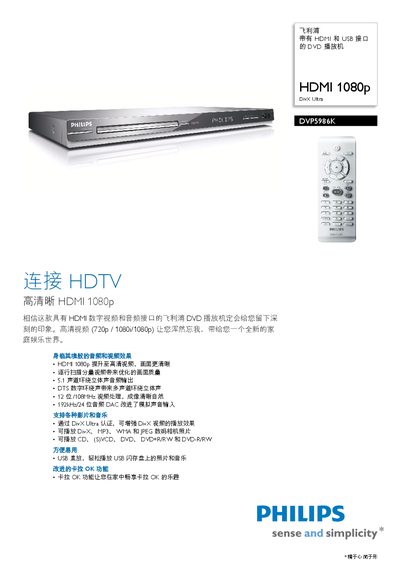
Philips DVP5986K DVD Player User Manual
The Philips DVP5986K DVD player offers HDMI 1080p video output, USB direct play, and support for a wide range of media formats including DivX, MP3, WMA and JPEG. It features 5.1 channel surround sound, DTS digital audio and a high‑resolution 24‑bit/192 kHz audio DAC for superior sound quality.
The manual provides full specifications, connection options, power requirements, and accessories such as remote control, batteries and audio/video cables. It also includes safety features like child lock and language settings for English and Simplified Chinese. This manual is written in Chinese.
Philips DVP5986K specifications
| TV Output | CVBS (composite video) |
|---|---|
| Video Input | CVBS (composite video) |
| Audio Output | Front L/R |
All Philips DVP5986K documents by type
Day-to-day operation, settings and troubleshooting. Start here if the product is already set up.
Questions answered in these manuals
How do I turn on the DVD player?
Press the STANDBY‑ON button.
Which video output format does the DVD player provide?
It provides a CVBS (composite video) TV output.
What are the power requirements and consumption of the player?
It operates on 110‑240 V, 50/60 Hz and consumes less than 12 W during use and less than 0.8 W in standby.
How do I turn the DVD player on and off?
Press the power button; the standby indicator (STANDBY‑ON) shows when the unit is off.
Which remote buttons control playback?
Use the PLAY/PAUSE button to start or pause, and the STOP button to stop playback.
What video resolution does the DVP5986K support?
It supports HDMI 1080p video as well as 720p and 1080i resolutions.