
Key facts
- Brand
- Philips
- Model
- DVP3002
- Industry
- Electronics
- Documents
- 2
- Languages
- ZH · EN
- Last added
- 2012-03-27
Start here
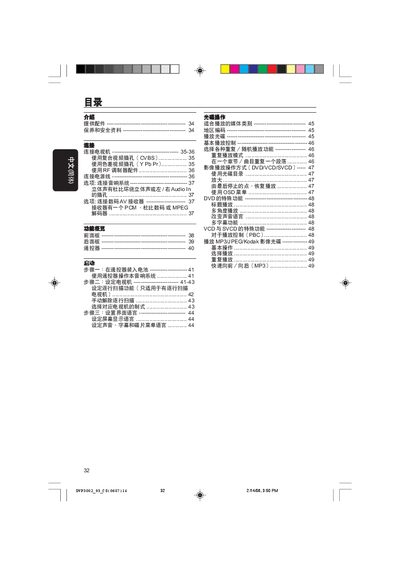
Philips DVP3002 DVD Player User Manual
This manual guides users through connecting the DVP3002 DVD player to a TV via composite, component, or RF inputs, installing the supplied remote batteries, and configuring video and audio settings. It includes detailed diagrams of the front and rear panels, remote control functions, and step‑by‑step startup procedures.
Safety precautions, maintenance tips, product specifications, and a comprehensive fault‑finding guide are also provided, helping owners resolve common issues such as no power, picture problems, or audio distortion.
Philips DVP3002 specifications
| Power supply voltage | 110‑240 V; 50/60 Hz |
|---|---|
| Standby power consumption | < 0.8 W |
| Dimensions (W × H × D) | 360 mm × 37 mm × 265 mm |
| Weight | ≈ 2.0 kg |
| Video output voltage (Y Pb Pr) | 0.7 Vpp to 75 Ω |
| Audio formats | MPEG/AC‑3, Dolby Digital, PCM 16‑24 bit |
All Philips DVP3002 documents by type
Day-to-day operation, settings and troubleshooting. Start here if the product is already set up.
Questions answered in these manuals
How do I connect the DVD player to a TV for video?
Connect the yellow video‑out cable from the DVD player’s VIDEO OUT (CVBS) socket to the TV’s VIDEO IN socket.
How do I start playback of a DVD?
Press the PLAY button on the remote control to begin playback.
What should I check if there is no picture on the TV?
Verify the power cord is connected, press the STANDBY‑ON button to power on, ensure the TV is turned on, and select the correct video input channel.
How can I prevent condensation on the DVD player when moving it from a cold to a warm environment?
Allow the player to return to a warm environment until any condensation fully evaporates before using it.