
The Philips BDP9500 Blu-ray Disc player features Qdeo video processing and 7.1 surround sound for an immersive audio-visual experience.
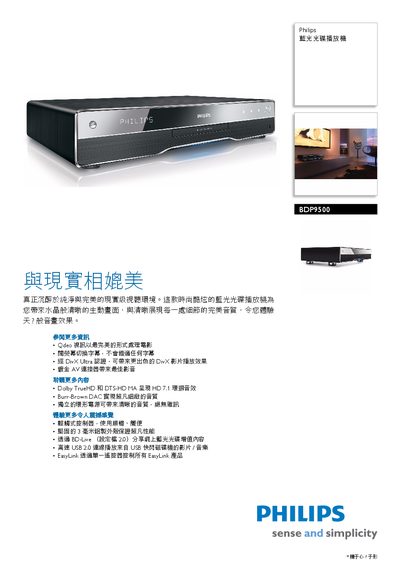
The Philips BDP9500 Blu‑ray Disc player combines Qdeo video processing, Dolby TrueHD, DTS‑HD MA and a Burr‑Brown 24‑bit DAC to deliver high‑quality picture and sound. It supports BD‑Live, USB 2.0 playback, subtitle switching, and EasyLink HDMI‑CEC control for convenient operation across multiple devices.
The manual covers connections (HDMI, analog audio, Ethernet, USB), power specifications, supported media formats, and step‑by‑step instructions for using features such as subtitle adjustment, video upscaling, and network services. It also lists the available language options for the on‑screen menu. This manual is written in Chinese.
| Video resolution | 720p / 1080i / 1080p |
|---|---|
| Audio formats | Dolby TrueHD, Dolby Digital Plus, DTS‑HD |
| Digital‑to‑Analog Converter | Burr‑Brown 24‑bit 192 kHz |
| Power supply | 220‑240 V, 50‑60 Hz |
| Power consumption | 25 W |
| USB 2.0 transfer rate | Up to 480 Mbps |
| Analog audio output | 7.1‑channel |
Use the remote control to move the subtitle display up or down on the screen.
It supports Dolby TrueHD, Dolby Digital Plus, and DTS‑HD audio formats.
Enable HDMI‑CEC (EasyLink) and use the remote to control multiple HDMI‑CEC compatible devices.
The USB 2.0 port can transfer data at up to 480 Mbps.