
Key facts
- Brand
- Philips
- Model
- 19PFL3403
- Industry
- Appliances
- Documents
- 4
- Languages
- EN · ZH
- Last added
- 2012-03-26
Start here
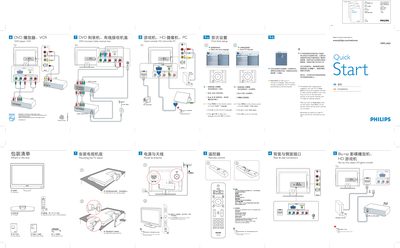
Philips 19PFL3403 Quick Start Guide
This guide provides the essential steps to get your Philips 19PFL3403 television up and running. It explains how to unpack the TV, attach the stand, connect the antenna or cable, and use the remote control to navigate the on‑screen menu. The Auto Store function can automatically scan and store available broadcast channels.
Safety notes remind you to disconnect the AC power cord before making any connections and to handle the TV carefully during installation. Basic remote‑control operations such as turning the TV on/off, selecting inputs, and confirming menu choices are also described.
Philips 19PFL3403 specifications
| Aspect Ratio | 16:9 |
|---|---|
| Resolution | 1440 x 900 @ 60Hz |
| Audio Output (RMS) | 3W x 2 |
| Standby Power Consumption | < 0.3 W |
| Weight (net) | 4.8 kg |
| HDMI Input | Supports 480i/p, 576i/p, 720p, 1080i/p |
| Rear CVI Input | Component video + audio left/right (supports 480i/p, 576i/p, 720p, 1080i/p) |
Source: Philips 19PFL3403 TV User Manual
All Philips 19PFL3403 documents by type
Day-to-day operation, settings and troubleshooting. Start here if the product is already set up.
The shortest path to a working setup, usually only a few pages.
Questions answered in these manuals
How do I automatically store broadcast channels?
Use the Auto Store function: press Install > Auto store and wait up to three minutes for the scan to complete.
How do I turn the TV on and off?
Press the POWER button on the remote control to switch the TV on or put it into standby mode.
What is the standby power consumption of the TV?
The standby power consumption is less than 0.3 W.
Which audio output power does the TV provide?
The TV provides two audio channels at 3 W RMS each.