
Key facts
Start here
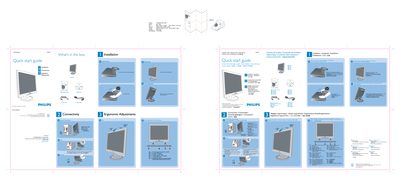
Philips 170S7 LCD Monitor Quick Start Guide
This quick start guide provides the essential steps to get the Philips 170S7 LCD monitor up and running. It lists the items included in the box—monitor, power cord, VGA cable, and quick‑start guide—and shows how to unfold and fold the base, adjust tilt, and manage cables.
The guide also explains the recommended display settings for optimal performance (1280 × 1024 @ 60 Hz) and gives a brief reference for the control buttons. Multilingual instructions are provided, but the core setup instructions are the same across languages.
Philips 170S7 specifications
| Recommended resolution | 1280 x 1024 |
|---|---|
| Refresh rate | 60 Hz |
| Operating temperature | 5 °C – 35 °C |
| Relative humidity | 20 % – 80 % RH |
All Philips 170S7 documents by type
Day-to-day operation, settings and troubleshooting. Start here if the product is already set up.
The shortest path to a working setup, usually only a few pages.
Questions answered in these manuals
What cables are included with the monitor?
The package includes a power cord and a VGA cable.
How should I set the display for optimal performance?
Set the monitor to a resolution of 1280 × 1024 at 60 Hz via the VGA input.
Can the Philips 170S7 monitor be wall‑mounted?
Yes, the monitor has four standard VESA mounting holes for attaching to most VESA brackets.
How do I clean the LCD screen safely?
Use a soft, slightly damp cloth for routine cleaning; for thorough cleaning, use isopropyl alcohol, avoiding organic solvents like ethanol or acetone.
What video mode should I set for the Philips 170S7 monitor?
Set the monitor to 1280 × 1024 resolution at 60 Hz refresh rate.
How can I reset the monitor settings if they are incorrect?
Press the OK button, then select Reset to restore all factory defaults.