
Key facts
- Brand
- Panasonic
- Model
- WV-CU650
- Category
- Monitoring Equipment
- Industry
- Electronics
- Documents
- 6
- Languages
- EN
- Last added
- 2012-08-08
Start here
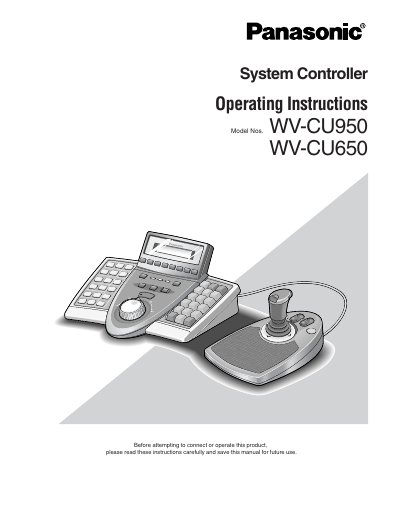
Panasonic WV-CU950/WV-CU650 System Controller Operating Instructions
This manual provides operating instructions for the Panasonic WV-CU950 and WV-CU650 System Controllers. These devices are designed to control cameras, matrix switchers, and recording devices such as digital disk recorders within a surveillance control system. The controllers support features like multiscreen display, electronic zooming, and tour sequences.
Read onlinePanasonic WV-CU650 specifications
| Operating Temperature | -10 °C to + 50 °C |
|---|---|
| Operating Humidity | below 90 % |
| Input Power Source | 120 V AC, 60 Hz |
| Network Support | Ethernet (10/100 Base-T) |
Source: Panasonic WV-CU950/WV-CU650 System Controller Operating Instructions
All Panasonic WV-CU650 documents by type
Day-to-day operation, settings and troubleshooting. Start here if the product is already set up.
Disassembly, diagnostics and part numbers, for repair.
Questions answered in these manuals
What system units can this controller operate?
This product is a system controller to operate PS·Data system units and connected cameras.
From: Panasonic WV-CU950/WV-CU650 System Controller Operating Instructions
Can multiple controllers be connected?
Yes, up to 4 system controllers can be connected for multiple operation.
From: Panasonic WV-CU950/WV-CU650 System Controller Operating Instructions
What firmware version is required for this addendum to apply?
The descriptions in this document are applicable when the WJ-SX150A Administrator Console and the firmware of this unit are Ver. 2.04 or later.
What is the factory default setting for the operator ID and password?
The factory default setting for the operator ID is 150, and the factory default setting for the password is also 150.
What power source does the WV‑CU650 System Controller require?
It uses a 9 V DC, 300 mA supply from the supplied AC adapter, which itself needs 120 V AC, 60 Hz, 200 mA.
From: Panasonic WV-CU650 System Controller Operating Instructions
How many system controllers can be linked together?
Up to four WV‑CU650 System Controllers can be connected for multiple‑operation setups.
From: Panasonic WV-CU650 System Controller Operating Instructions