
Key facts
- Brand
- Panasonic
- Model
- WV-CW960
- Category
- Monitoring Equipment
- Industry
- Electronics
- Documents
- 2
- Languages
- JA · ZH
- Last added
- 2012-03-13
Start here
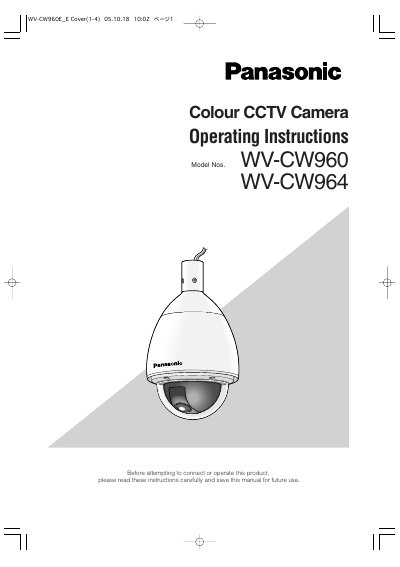
Panasonic WV-CW960 / WV-CW964 Colour CCTV Camera User Manual
This manual provides safety instructions, installation steps, wiring details, and setup procedures for the Panasonic WV-CW960 and WV-CW964 colour CCTV cameras. It includes guidance on mounting, dip‑switch configuration, RS485 communication, and troubleshooting.
Key features such as Super‑Dynamic 3 imaging, high‑sensitivity DSP, digital flip, privacy zones, and motion detection are described, along with environmental limits, power requirements, and optional accessories. This manual is written in Japanese.
Panasonic WV-CW960 specifications
| Power Requirements | 24 V AC (WV‑CW964) / 220‑240 V AC (WV‑CW960) |
|---|---|
| Power Consumption | 77 W (WV‑CW960) / 90 W (WV‑CW964) |
| Effective Pixels | 752 (H) × 582 (V) |
| Scanning Area | 3.65 mm (H) × 2.71 mm (V) |
| Scanning Frequencies | Horizontal 15.625 kHz, Vertical 50.00 Hz |
| Video Output | VBS 1.0 V [P‑P] / 75 Ω (BNC) |
Source: Panasonic WV-CW960 / WV-CW964 Colour CCTV Camera User Manual
All Panasonic WV-CW960 documents by type
Day-to-day operation, settings and troubleshooting. Start here if the product is already set up.
Questions answered in these manuals
Does the camera have a power switch?
No, the camera does not have a power switch.
From: Panasonic WV-CW960 / WV-CW964 Colour CCTV Camera User Manual
How many preset positions does the WV‑CW960 support?
The camera supports up to 256 preset positions.
What is the minimum illumination in SENS UP mode?
The minimum illumination in SENS UP mode is 0.001 Lux.