
Key facts
Start here
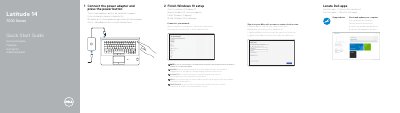
Dell Latitude 14 7000 Series (14-7470/E7470) Notebook Quick Start Guide
This Dell quick start guide for the Latitude 14 7000 Series (14-7470/E7470) shows how to connect the power adapter, press the power button, finish Windows 10 setup, connect to a network, and sign in to a Microsoft account or create a local account. It also points to Dell apps, including SupportAssist for checking and updating the computer.
The guide lists ports and components such as USB 3.0 connectors, HDMI, Mini DisplayPort, SIM port, memory card reader, fingerprint reader, battery-status light, and service-tag label. It gives Dell support and manual links, contact information, and regulatory and safety references, including regulatory model P61G and computer model Latitude 14-7470/E7470. Instructions and feature labels appear in English, Danish, Finnish, Norwegian, and Swedish.
Dell Latitude 14 7000 Series (14-7470 specifications
| USB 3.0 connectors | 2 |
|---|---|
| SIM port | Optional |
| Contactless smart-card reader | Optional |
| Fingerprint reader | Optional |
| Smart card reader | Optional |
| Track stick/track pad | Optional |
Source: Dell Latitude 14 7000 Series (14-7470/E7470) Notebook Quick Start Guide
All Dell Latitude 14 7000 Series (14-7470 documents by type
The shortest path to a working setup, usually only a few pages.
- Dell Latitude 14 7000 Series (14-7470/E7470) Notebook Quick Start Guide 2 p
- Dell Latitude 14 7000 Series Notebook Quick Start Guide 2 p
- Dell Latitude 14 7000 Series 14-7470/E7470 Notebook Quick Start Guide 2 p
- Dell Latitude 14 7000 Series (14-7470/E7470) Computer Quick Start Guide 2 p
- Dell Latitude 14 7000 Series (14-7470/E7470) Notebook Quick Start Guide 2 p
- Dell Latitude 14 7000 Series (14-7470/E7470) Laptop Quick Start Guide 2 p
- Dell Latitude 14 7000 Series 14-7470/E7470 Notebook Quick Start Guide 2 p
- Dell Latitude 14 7000 Series (14-7470/E7470) Notebook Quick Start Guide 2 p
Questions answered in these manuals
How do I start the computer?
Connect the power adapter and press the power button.
From: Dell Latitude 14 7000 Series (14-7470/E7470) Notebook Quick Start Guide
What does SupportAssist do?
It lets you check and update your computer.
From: Dell Latitude 14 7000 Series (14-7470/E7470) Notebook Quick Start Guide
How do I start the notebook for the first time?
Connect the power adapter and press the power button.
From: Dell Latitude 14 7000 Series Notebook Quick Start Guide
What should I do if I connect to a secured wireless network?
Enter the password for the wireless network access when prompted.
From: Dell Latitude 14 7000 Series Notebook Quick Start Guide
How do I begin setting up the Dell Latitude 14 7000 Series?
Connect the power adapter and press the power button.
From: Dell Latitude 14 7000 Series 14-7470/E7470 Notebook Quick Start Guide
Which Windows version is covered in the setup steps?
The guide covers finishing Windows 10 setup.
From: Dell Latitude 14 7000 Series 14-7470/E7470 Notebook Quick Start Guide