
Key facts
- Brand
- DELL
- Model
- W-AP93)
- Category
- Other network devices
- Documents
- 5
- Languages
- EN · ZH · KO · ES
- Last added
- 2026-10-03
Start here
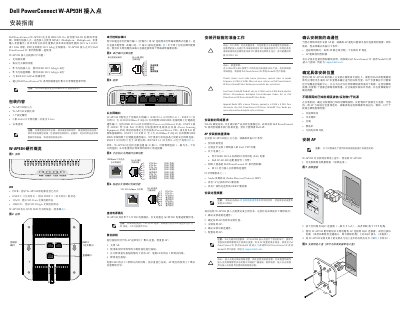
Dell W-AP93H Access Point Installation Guide
This guide explains how to install and configure the Dell PowerConnect W-AP93H wireless access point. It covers package contents, hardware layout, LED status meanings, Ethernet port functions, power options (PoE and 12 V DC), and the reset procedure.
The document also details pre‑installation requirements, mounting steps, wiring, and post‑installation verification, along with regulatory compliance notes for FCC, EU, and RoHS.
Dell W-AP93) specifications
| WLAN standard | IEEE 802.11a/b/g/n, 2.4GHz or 5GHz, dual-radio with MIMO |
|---|---|
| Ethernet port | 10/100/1000Base-T (RJ-45), auto-sensing MDI/MDX |
| PoE support | IEEE 802.3af, 48 VDC, powered device (PD) |
| Ethernet cable | Up to 100 m (325 ft) Cat5 UTP, 4 or 8 conductors |
| LED indicators | PWR, ENET, 11A/N, 11B/G/N |
| Antennas | External antenna connectors on W-AP92; internal antennas on W-AP93 |
| Alternative power | Optional Dell AP AC-DC adapter kit when PoE is unavailable |
| Mounting | Integrated wall-mount slots or drop-ceiling T-bar slots (9/16-inch T-bar) |
Source: Dell PowerConnect W-AP90 Series Access Point Installation Guide
All Dell W-AP93) documents by type
Mounting, wiring and first power-up. Read it before the hardware goes in.
- Dell W-AP93H Access Point Installation Guide 2 p
- Dell PowerConnect W-AP90 Series Access Point Installation Guide 2 p
- Dell PowerConnect W-AP90 Series Access Point Installation Guide 2 p
- Dell PowerConnect W-AP93H Wireless Access Point Installation Guide 2 p
- Dell PowerConnect W-AP93H Access Point Installation Guide 2 p
Questions answered in these manuals
What is included in the W-AP90 series package?
The package contains a W-AP92 or W-AP95 access point and the installation guide. Keep the original packing materials in case the unit must be returned to the supplier.
From: Dell PowerConnect W-AP90 Series Access Point Installation Guide
How is the W-AP90 series access point powered?
It is powered via IEEE 802.3af Power over Ethernet (48 VDC) from a PoE power sourcing equipment (PSE), or, if PoE is unavailable, by the optional Dell AP AC-DC adapter kit.
From: Dell PowerConnect W-AP90 Series Access Point Installation Guide
What power options are available for the W-AP90 series access point?
It can be powered by IEEE 802.3af PoE from a PSE or PoE-capable network infrastructure, or by the optional Dell AP AC-DC adapter kit when PoE is not available.
From: Dell PowerConnect W-AP90 Series Access Point Installation Guide
What is the difference between the W-AP92 and W-AP93 antennas?
The W-AP92 is for external antennas, while the W-AP93 uses internal antennas.
From: Dell PowerConnect W-AP90 Series Access Point Installation Guide
What controller is required for the W-AP93H?
The W-AP93H functions only with a Dell PowerConnect W-Series controller.
From: Dell PowerConnect W-AP93H Wireless Access Point Installation Guide
What are the RF interference sources to avoid?
Sources include concrete, metal, microwave ovens, and wireless phones.
From: Dell PowerConnect W-AP93H Wireless Access Point Installation Guide