
Dell Latitude 14 7000 Series Notebook Quick Start Guide

Dell Latitude 14 7000 Series Notebook Quick Start Guide
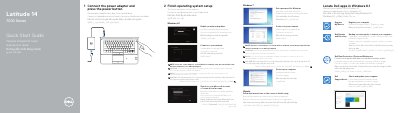

Dell Latitude 14 7000 Series Notebook Quick Start Guide - cover page
Brand
DELL
Category
Laptops
Document type
Quick Start Guide
Language
English
Pages
2
File format
PDF
File size
556 KB
Published
25 November, 2023
Updated
25 November, 2023
MD5 checksum
700C9C3B334DDBECF329B93EDFC15B2F

About this manual

The Dell Latitude 14 7000 Series Quick Start Guide provides essential instructions for setting up the notebook, including connecting power, configuring the operating system, and connecting to a network.

It also includes a detailed map of the device's hardware features, identifying various connectors, status lights, and optional components such as the fingerprint reader and SIM port.

What's inside

  • Connect the power adapter
  • Finish operating system setup
  • Connect to your network
  • Features

Specifications

Computer modelLatitude 14-7470/E7470
Regulatory modelP61G
Regulatory typeP61G001

Frequently asked questions

How do I start the notebook for the first time?

Connect the power adapter and press the power button.

What should I do if I connect to a secured wireless network?

Enter the password for the wireless network access when prompted.

Download PDF (556 KB)

More DELL Manuals


View all DELL manuals →