
Key facts
Start here
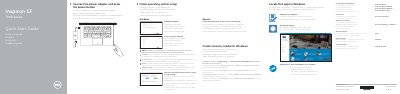
Dell Inspiron 13 7000 Series (13-7359) Computer Quick Start Guide
This Quick Start Guide for the Dell Inspiron 13 7000 Series (Inspiron 13-7359) describes initial setup: connecting the power adapter, pressing the power button, finishing operating system setup for Windows or Ubuntu, enabling Dell updates, connecting to a network, and signing in to a Microsoft account or creating a local account. It also covers locating Dell apps, creating recovery media for Windows, using SupportAssist to check and update the computer, and registering the computer.
The guide lists features and shortcut keys, including audio, volume, track/chapter playback, external display, search, keyboard backlight, brightness, wireless, and Fn-key lock controls. It also gives product support and manual links, contact information, regulatory and safety links, and model identifiers P57G, P57G002, and Inspiron 13-7359.
Dell Inspiron 13 7000 Series (Inspiron 13-7359) specifications
| Regulatory model | P57G |
|---|---|
| Regulatory type | P57G002 |
| Computer model | Inspiron 13-7359 |
Source: Dell Inspiron 13 7000 Series (13-7359) Computer Quick Start Guide
All Dell Inspiron 13 7000 Series (Inspiron 13-7359) documents by type
The shortest path to a working setup, usually only a few pages.
Questions answered in these manuals
How do I start the computer?
Connect the power adapter and press the power button.
From: Dell Inspiron 13 7000 Series (13-7359) Computer Quick Start Guide
How do I connect to a secured wireless network?
Enter the password for the wireless network access when prompted.
From: Dell Inspiron 13 7000 Series (13-7359) Computer Quick Start Guide
How do I create recovery media for Windows on this laptop?
In Windows search, type Recovery, click Create a recovery media, and follow the on-screen instructions.
From: Dell Inspiron 13 7000 Series (Inspiron 13-7359) Quick Start Guide
What modes does the Inspiron 13-7359 support?
The device supports Notebook, Tablet, Tent, and Stand modes.
From: Dell Inspiron 13 7000 Series (Inspiron 13-7359) Quick Start Guide