
Dell Latitude 14 7000 Series Quick Start Guide
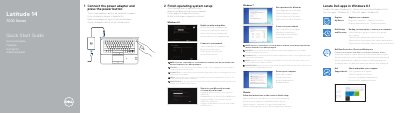
This two-page quick start guide is for the Dell Latitude 14 7000 Series computer, model 14-7470/E7470. It shows how to connect the power adapter, press the power button, and finish operating system setup for Windows 8.1, Windows 7, or Ubuntu. It also lists Dell apps for Windows 8.1, including Dell Backup and Recovery, Dell Data Protection | Protected Workspace, and Dell SupportAssist, and describes registering the computer.
The guide includes multilingual labels in English, Danish, Finnish, Norwegian, and Swedish. Page 2 identifies ports and features such as USB 3.0 connectors, HDMI, Mini DisplayPort, memory card reader, optional smart-card and fingerprint readers, speakers, touchpad, and service-tag label, and gives Dell support and regulatory links.
| USB ports | Two USB 3.0 connectors; one USB 3.0 connector with PowerShare |
|---|---|
| Video connectors | HDMI connector and Mini DisplayPort |
| Optional card reader | Contactless smart-card reader |
| Optional biometric reader | Fingerprint reader |
Connect the power adapter and press the power button, then finish operating system setup.
Follow the instructions on the screen to finish setup.
Enter the password for the wireless network access when prompted.
Yes, the guide lists a fingerprint reader as an optional feature.