
Dell Latitude 14 7000 Series Notebook Quick Start Guide
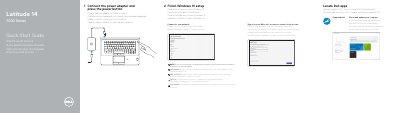
This Dell quick start guide for the Latitude 14 7000 Series laptop, computer model Latitude 14-7470/E7470, shows how to connect the power adapter and press the power button, finish Windows 10 setup, connect to your network (including entering the password for a secured wireless network when prompted) and sign in to a Microsoft account or create a local account. It also points to Dell apps such as SupportAssist for checking and updating the computer.
The features page numbers and names the laptop's parts: network connector, HDMI connector, Mini DisplayPort, microphones and camera, USB 3.0 connectors, power connector, optional SIM port, USB 3.0 connector with PowerShare, memory card reader, headset connector, optional contactless smart-card, fingerprint and smart-card readers, battery, hard-drive and power status lights, speakers, touchpad, optional track stick/track pad, security-cable slot, dock connector and service-tag label. Support, manual and regulatory links are given as Dell.com/support, Dell.com/support/manuals, Dell.com/contactdell and Dell.com/regulatory_compliance. The text is repeated in English, Czech, Hungarian, Polish and Slovak.
| Computer model | Latitude 14-7470/E7470 |
|---|---|
| Video connectors | HDMI connector and Mini DisplayPort |
| USB connectors | Two USB 3.0 connectors, plus one USB 3.0 connector with PowerShare |
| SIM port | Optional |
| Card readers | Memory card reader; optional contactless smart-card reader and smart card reader |
| Fingerprint reader | Optional |
| Security | Security-cable slot |
| Docking | Dock connector |
Connect the power adapter and press the power button, then finish Windows 10 setup.
Enter the password for the wireless network access when prompted.
Dell lists Dell.com/support for product support and Dell.com/support/manuals for manuals.
SupportAssist is used to check and update your computer.