
The Dell Latitude 14 7000 Series Notebook Quick Start Guide.
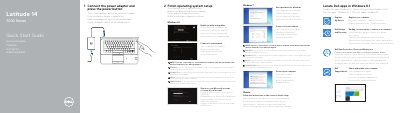
This two-page quick start guide for the Dell Latitude 14 7000 Series notebook shows how to connect the power adapter and press the power button, locate Dell apps in Windows 8.1, and finish operating system setup. The setup steps cover Windows 8.1, Windows 7, and Ubuntu, including enabling security and updates, connecting to a network, signing in to a Microsoft account or creating a local account, and setting a Windows password.
The guide also lists the computer features, including network, HDMI, Mini DisplayPort, USB 3.0, SIM, memory card, headset, smart-card, fingerprint, and dock connections, along with status lights, speakers, touchpad, security-cable slot, and service-tag label. It gives Dell support, manual, Windows, Linux, contact, and regulatory compliance links, and identifies the computer model as Latitude 14-7470/E7470 with regulatory model P61G and regulatory type P61G001.
| Computer model | Latitude 14-7470/E7470 |
|---|---|
| Regulatory model | P61G |
| Regulatory type | P61G001 |
| USB 3.0 connectors | 2 |
| SIM port | Optional |
| Fingerprint reader | Optional |
Connect the power adapter and press the power button.
The guide says to locate Dell apps in Windows 8.1.
The computer model is Latitude 14-7470/E7470.
Dell lists Dell.com/support and Dell.com/support/manuals.