
Key facts
Start here
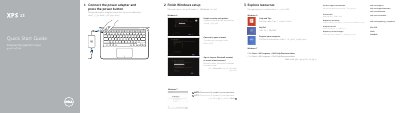
Dell XPS 9333 Laptop Quick Start Guide
This quick start guide for the Dell XPS 9333 laptop describes how to connect the power adapter and press the power button, finish Windows setup, explore resources, enable security and updates, sign in to a Microsoft account or create a local account, and connect to a network.
The guide also lists the computer model as XPS 9333, regulatory model and type P29G / P29G003, and identifies the laptop features, ports, indicators, and keyboard shortcut keys.
Dell XPS 9333 specifications
| Computer model | XPS 9333 |
|---|---|
| Regulatory model and type | P29G / P29G003 |
| Digital microphones | 2 |
| Battery-status lights | 5 |
| USB 3.0 ports with PowerShare | 2 |
| Printed in China | 2013-08 |
All Dell XPS 9333 documents by type
The shortest path to a working setup, usually only a few pages.
Disassembly, diagnostics and part numbers, for repair.
Questions answered in these manuals
How do I start the Dell XPS 9333 laptop?
Connect the power adapter and press the power button.
What is the computer model of this guide?
The computer model is XPS 9333.
What is the first setup step shown for the XPS 9333?
Connect the power adapter and press the power button.
What symbol should not be used in a Windows 7 password?
Do not use the @ symbol.
What tools are recommended for internal computer work?
The recommended tools include a Phillips screwdriver, a T5 Torx screwdriver, and a plastic stick.
Who is authorized to remove the computer cover?
Only certified service technicians are authorized to remove the computer cover and access internal components.