
Dell Latitude 14 7000 Series Notebook Quick Start Guide.
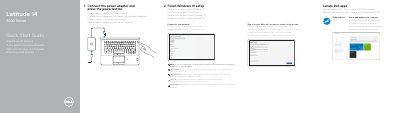
Quick start guide for the Dell Latitude 14 7000 Series notebook, with the computer model listed as Latitude 14-7470/E7470. It walks through connecting the power adapter, pressing the power button, finishing Windows 10 setup, connecting to a network, signing in with a Microsoft account or creating a local account, and locating Dell apps such as SupportAssist.
The features section identifies the notebook's connectors and indicators, including network, HDMI, Mini DisplayPort, USB 3.0 and PowerShare connectors, power, optional SIM, memory card, headset, optional smart-card and fingerprint readers, battery/hard-drive/power lights, touchpad, security-cable slot, and dock connector. It also lists product support and manuals links, contact details, and regulatory model P61G / regulatory type P61G001.
| Computer model | Latitude 14-7470/E7470 |
|---|---|
| USB connectors | Two USB 3.0 connectors |
| USB PowerShare connector | USB 3.0 connector with PowerShare |
| Video connectors | HDMI connector and Mini DisplayPort |
| SIM port | Optional |
| Fingerprint reader | Optional |
| Security cable slot | Security-cable slot |
| Dock connector | Dock connector |
Connect the power adapter and press the power button.
The guide covers finishing Windows 10 setup.
The guide lists Dell.com/support for product support and Dell.com/support/manuals for manuals.
The computer model is Latitude 14-7470/E7470.