
Key facts
Start here
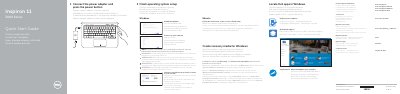
Dell Inspiron 11 3000 Series (11-3162) Laptop Quick Start Guide
This two-page Dell quick start guide covers the initial setup of the Inspiron 11 3000 Series laptop, computer model Inspiron 11-3162. It walks through connecting the power adapter and pressing the power button, finishing operating system setup for Windows or Ubuntu, enabling Dell updates, connecting to a network, signing in with a Microsoft account or creating a local account, and registering the computer.
The guide also points to Dell Help & Support and the Dell apps in Windows, explains how to create recovery media for Windows, and lists product support, contact and regulatory links. A features page identifies the ports and components around the computer and describes the keyboard shortcut keys.
Dell Inspiron 11 3000 Series (11-3162) specifications
| Computer model | Inspiron 11-3162 |
|---|---|
| Regulatory model / type | P24T / P24T001 |
| Ports | Power-adapter port, HDMI port, USB 3.0 port, USB 2.0 port, headset port |
| Media-card reader | Included |
| Camera | Camera with camera-status light and microphone |
| Security | Security-cable slot |
| Service Tag | Provided on the Service Tag label |
| Operating system options | Windows or Ubuntu |
Source: Dell Inspiron 11 3000 Series (11-3162) Laptop Quick Start Guide
All Dell Inspiron 11 3000 Series (11-3162) documents by type
The shortest path to a working setup, usually only a few pages.
Questions answered in these manuals
How do I finish operating system setup on the Inspiron 11 3000 Series?
Follow the instructions on the screen to finish setup, and enable Dell updates when prompted.
From: Dell Inspiron 11 3000 Series (11-3162) Laptop Quick Start Guide
What should I do if I am connecting to a secured wireless network?
Enter the password for the wireless network access when prompted.
From: Dell Inspiron 11 3000 Series (11-3162) Laptop Quick Start Guide
How do I turn on the computer for the first time?
Connect the power adapter and press the power button.
From: Dell Inspiron 11 3000 Series 11-3162 Laptop Quick Start Guide
What do I do if I am connecting to a secured wireless network?
Enter the password for the wireless network access when prompted.
From: Dell Inspiron 11 3000 Series 11-3162 Laptop Quick Start Guide
How do I start the Inspiron 11 3000 Series for the first time?
Connect the power adapter, press the power button, and follow the on-screen instructions to finish operating system setup.
From: Dell Inspiron 11 3000 Series (11-3162) Laptop Quick Start Guide
What should I enter when connecting to a secured wireless network?
Enter the password for the wireless network access when prompted.
From: Dell Inspiron 11 3000 Series (11-3162) Laptop Quick Start Guide