
Dell Latitude 14 7000 Series Notebook Quick Start Guide.
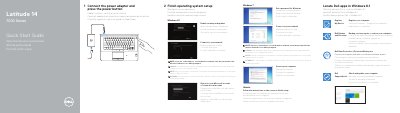
This Quick Start Guide helps users set up the Dell Latitude 14-7470/E7470 notebook. It covers connecting the power adapter, turning on the computer, locating Dell apps in Windows 8.1, registering the device, and completing operating system setup for Windows 8.1, Windows 7, and Ubuntu.
The guide also lists system features such as connectors, cameras, card readers, and lights, and provides links to Dell product support, manuals, contact information, and regulatory compliance details.
Connect the power adapter and press the power button.
Visit Dell.com/support, Dell.com/support/manuals, Dell.com/support/windows, or Dell.com/support/linux.
The regulatory model is P61G and the regulatory type is P61G001.
Enter the password for the wireless network access when prompted.