
Dell Latitude 14 7000 Series Notebook Quick Start Guide
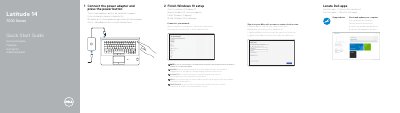
This Dell quick start guide for the Latitude 14 7000 Series (14-7470/E7470) shows how to connect the power adapter, press the power button, finish Windows 10 setup, connect to a network, and sign in to a Microsoft account or create a local account. It also points to Dell apps, including SupportAssist for checking and updating the computer.
The guide lists ports and components such as USB 3.0 connectors, HDMI, Mini DisplayPort, SIM port, memory card reader, fingerprint reader, battery-status light, and service-tag label. It gives Dell support and manual links, contact information, and regulatory and safety references, including regulatory model P61G and computer model Latitude 14-7470/E7470. Instructions and feature labels appear in English, Danish, Finnish, Norwegian, and Swedish.
| USB 3.0 connectors | 2 |
|---|---|
| SIM port | Optional |
| Contactless smart-card reader | Optional |
| Fingerprint reader | Optional |
| Smart card reader | Optional |
| Track stick/track pad | Optional |
Connect the power adapter and press the power button.
It lets you check and update your computer.
Dell provides product support and manuals at Dell.com/support and Dell.com/support/manuals.
Enter the password for the wireless network access when prompted.