
Key facts
Start here
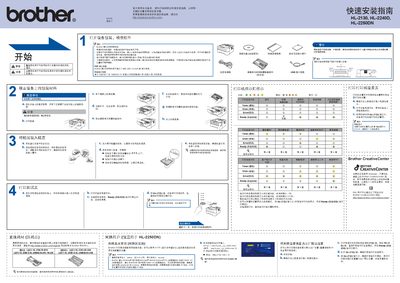
Brother HL-2130/HL-2240D/HL-2250DN Quick Installation Guide
This guide provides step‑by‑step instructions for unpacking, setting up power, connecting USB or network cables, and installing the printer driver. It also covers safety warnings, required accessories, and basic troubleshooting.
The document includes details on replacing consumables such as toner and drum units, configuring network settings, and resetting the printer to factory defaults. Links to Brother Solutions Center for driver downloads are also provided. This manual is written in Chinese.
Brother HL-2130 specifications
| Print speed | Up to 20 pages per minute |
|---|---|
| First page out (sleep mode) | Less than 7 seconds |
| First page out (ready mode) | Less than 10 seconds |
| Print resolution | 2400 × 600 dpi (HQ1200) |
| Processor | 200 MHz ARM9 |
| USB interface | Hi‑Speed USB 2.0 |
| Standard paper tray capacity | 250 sheets |
| Manual feed slot capacity | 1 sheet |
| Power consumption (printing) | 421 W |
| Dimensions (W × D × H) | 475 mm × 454 mm × 331 mm |
All Brother HL-2130 documents by type
Day-to-day operation, settings and troubleshooting. Start here if the product is already set up.
The shortest path to a working setup, usually only a few pages.
Questions answered in these manuals
How fast does the HL-2130 print?
It prints up to 20 pages per minute.
How long does it take to get the first page after waking the printer?
The first page appears in less than 7 seconds from sleep mode and less than 10 seconds from ready mode.
How can I enable automatic duplex printing?
Automatic duplex printing is supported on the HL‑2240D and HL‑2250DN models and is described in the manual under the auto duplex printing section.
From: Brother HL-2130 HL-2240D HL-2250DN Laser Printer User Manual
What is the recommended USB cable length?
Use a USB 2.0 (A/B) cable no longer than 2 meters.
From: Brother HL-2130/HL-2240D/HL-2250DN Quick Installation Guide
How can I reset the network settings to factory defaults?
Press the Go (Start) button six times until all indicator lights flash.
From: Brother HL-2130/HL-2240D/HL-2250DN Quick Installation Guide