
HL-2130 Compact High Quality Mono Laser Printer is an affordable mono laser printer that is fast, compact, and offers excellent print quality. It is easy to use, has low running costs, and can reliably meet your daily printing needs.
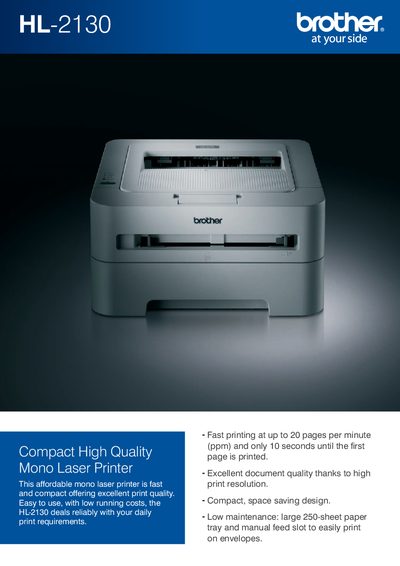
The HL-2130 is a compact monochrome laser printer that delivers up to 20 pages per minute with the first page ready in under 10 seconds. It offers high‑quality printing, low running costs, and flexible paper handling with a 250‑sheet tray and manual feed slot for envelopes and labels.
The manual covers supported operating systems, driver features such as N‑in‑1 printing and toner‑save mode, environmental certifications, and detailed specifications including print speed, resolution, power consumption, dimensions, and weight.
| Print speed | Up to 20 pages per minute |
|---|---|
| First page out (sleep mode) | Less than 7 seconds |
| First page out (ready mode) | Less than 10 seconds |
| Print resolution | 2400 × 600 dpi (HQ1200) |
| Processor | 200 MHz ARM9 |
| USB interface | Hi‑Speed USB 2.0 |
| Standard paper tray capacity | 250 sheets |
| Manual feed slot capacity | 1 sheet |
| Power consumption (printing) | 421 W |
| Dimensions (W × D × H) | 475 mm × 454 mm × 331 mm |
It prints up to 20 pages per minute.
The first page appears in less than 7 seconds from sleep mode and less than 10 seconds from ready mode.