
Key facts
- Brand
- Brother
- Model
- FAX-3800
- Category
- Fax machine
- Industry
- Computers
- Documents
- 2
- Languages
- EN
- Last added
- 2012-07-02
Start here
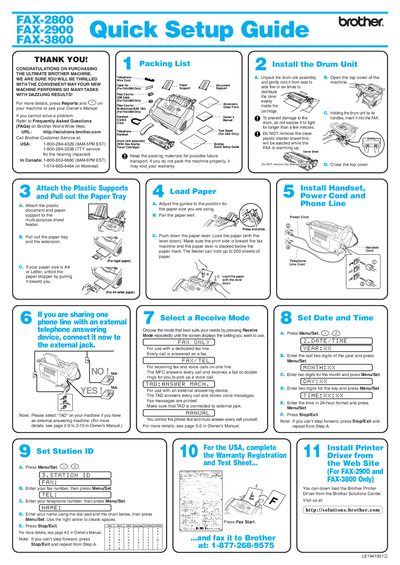
Brother FAX-2800/2900/3800 Quick Setup Guide
Quick Start Guide 1 pages · 333 KB · EN
This document serves as a Quick Setup Guide for the Brother FAX-2800, FAX-2900, and FAX-3800 machines. It provides step-by-step instructions for unpacking the machine, installing the drum unit assembly, loading paper into the multi-purpose sheet feeder or tray, and connecting the power cord and handset.
Read onlineAll Brother FAX-3800 documents by type
User Manual 2
Day-to-day operation, settings and troubleshooting. Start here if the product is already set up.
Quick Start Guide 1
The shortest path to a working setup, usually only a few pages.
Questions answered in these manuals
What is the maximum number of times the Fax Start button should be pressed?
Press the Fax Start button three times.
Where can I find the serial number for warranty service?
The serial number is located on the back of the unit.
Where can these machines be used?
These machines are made for use in the USA and Canada only.