
Key facts
- Brand
- Brother
- Model
- MFC-J6710DW
- Category
- All-in-one printer
- Industry
- Computers
- Documents
- 7
- Languages
- ZH · EN · JA
- Last added
- 2026-10-15
Start here
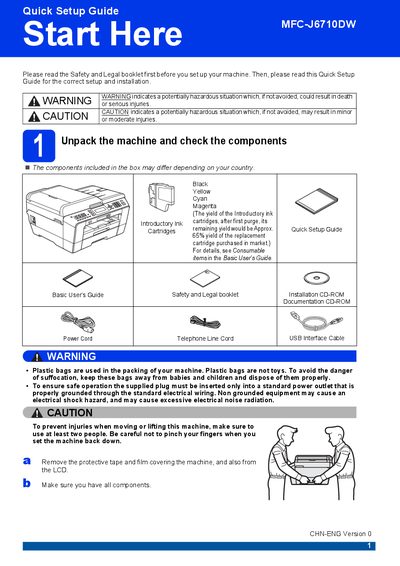
Brother MFC-J6710DW Quick Setup Guide
The Quick Setup Guide walks you through the first steps after unboxing the Brother MFC‑J6710DW. It covers safety warnings, checking that all components are present, connecting the power cord, telephone line, and optional network cable, and installing the introductory ink cartridges.
After the hardware is set up, the guide explains how to load paper, adjust paper settings, choose language and receive mode, and perform a basic print quality check. It also provides information on replacing consumables and restoring network settings to factory defaults.
Brother MFC-J6710DW specifications
| Black ink cartridge model | LC400BK (High Yield) |
|---|---|
| Network cable requirement | Category5 (or greater) twisted‑pair for 10BASE‑T or 100BASE‑TX |
| USB cable recommendation | USB 2.0 Type A/B, max 2 m length |
All Brother MFC-J6710DW documents by type
Day-to-day operation, settings and troubleshooting. Start here if the product is already set up.
The shortest path to a working setup, usually only a few pages.
Questions answered in these manuals
How long can information stored in the device's memory be retained after a power outage?
Information stored in the device's memory can be retained for approximately 24 hours during a power outage.
What is the maximum number of digits allowed for a dialing prefix?
The dialing prefix can consist of a maximum of 5 digits.
How do I adjust the ring volume?
Open the Menu, select General Setup, then choose Volume and select Ring. Use the 4 or A keys to set the level (Low, Medium, High, or Off).
How can I restore the printer to factory settings?
Use the Set New Default option and then select "Restore all settings to the factory settings" to return the machine to its original configuration.
How do I connect the telephone line to the printer?
Connect one end of the telephone line cord to the socket on the machine marked LINE and the other end to a telephone wall socket.
What type of network cable should I use?
Use a straight‑through Category 5 (or greater) twisted‑pair cable for 10BASE‑T or 100BASE‑TX Fast Ethernet.