
Key facts
Start here
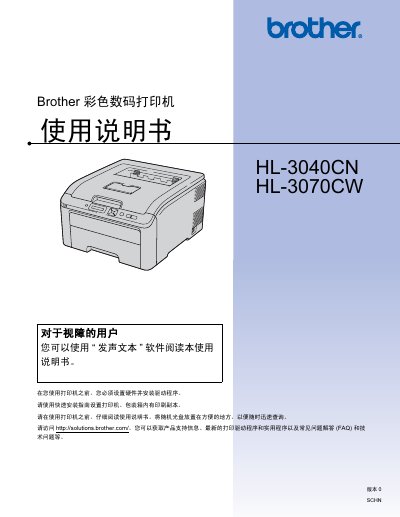
Brother HL-3040CN / HL-3070CW Color Digital Printer User Manual
This manual covers everything needed to install and use the Brother HL-3040CN and HL-3070CW printers, including hardware setup, driver installation, and basic printing functions. It also explains how to configure advanced features such as PictBridge, secure printing, and network settings.
Safety guidelines, recommended operating environments, cleaning procedures, and detailed troubleshooting steps are provided to help keep the printers running reliably. Appendices contain full specifications, part numbers, and a FAQ section for quick reference. This manual is written in Chinese.
Brother HL-3040CN / HL-3070CW specifications
| Ethernet speed | 10/100BASE‑TX |
|---|---|
| Wireless standard | IEEE 802.11b/g |
| Supported operating systems | Windows 2000/XP, Vista, 7, Server 2003/2008, Mac OS X 10.3.9+ |
| Supported IPv4 protocols | ARP, RARP, BOOTP, DHCP, APIPA, etc. |
Source: Brother HL-3040CN and HL-3070CW Network Usage Manual
All Brother HL-3040CN / HL-3070CW documents by type
Day-to-day operation, settings and troubleshooting. Start here if the product is already set up.
Questions answered in these manuals
How do I configure wireless networking for the HL‑3070CW?
Use the BRAdmin Light utility or the printer’s operation panel menu with SES/WPS or AOSS to set up the wireless connection.
How can I reset the printer to factory defaults?
Select the ‘恢复出厂设置’ option in the network menu to restore all settings to their factory defaults.
Can the printer share a power circuit with high‑powered appliances?
No. The manual advises not to share the same power circuit with other high‑powered appliances such as air conditioners or copiers.
What is the maximum recommended length for the power cord?
The power cord, including extensions, should be no longer than 5 meters (16.5 ft).
How should I clean the printer?
Use a lint‑free dry cloth and a neutral cleaning agent; avoid vacuum cleaners, solvents, or abrasive liquids.
From: Brother HL-3040CN / HL-3070CW Color Digital Printer User Manual
What is the recommended power source for the printer?
Connect the printer to an AC 220‑240 V, 50/60 Hz outlet and avoid sharing the circuit with high‑power appliances.
From: Brother HL-3040CN / HL-3070CW Color Digital Printer User Manual