
Key facts
- Brand
- Brother
- Model
- FAX-560
- Category
- Fax machine
- Industry
- Computers
- Documents
- 3
- Languages
- EN
- Last added
- 2012-07-02
Start here
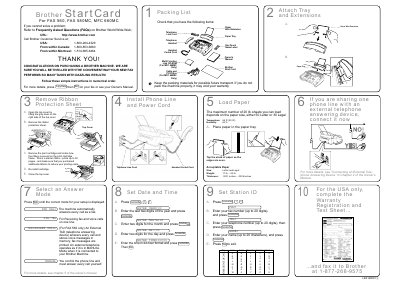
Brother FAX 560/580MC/MFC 660MC Start Card
Quick Start Guide 1 pages · 181 KB · EN
This document is a Start Card for Brother FAX 560, FAX 580MC, and MFC 660MC machines. It serves as a packing list to verify included items such as the Start Card, wire extension, telephone cord, and paper tray. It also provides contact information for Brother Customer Service in the USA, Canada, and Montreal.
Read onlineBrother FAX-560 specifications
| Maximum paper sheets (Letter) | 50 |
|---|---|
| Maximum paper sheets (Legal) | 30 |
| Operating Temperature | 68 °F (20 °C) |
| Operating Humidity | 60 % |
| Starter ribbon pages | 30 |
| Paper Weight | 20 lb. — 24 lb. |
| Paper Thickness | .0031 inches — .0039 inches |
| Fax number capacity | up to 20 digits |
| Telephone number capacity | up to 20 digits |
| Station ID name capacity | up to 20 characters |
All Brother FAX-560 documents by type
User Manual 2
Day-to-day operation, settings and troubleshooting. Start here if the product is already set up.
Quick Start Guide 2
The shortest path to a working setup, usually only a few pages.
Questions answered in these manuals
Where can I find more details about the machine?
Press [Copy/Help] then [Stat] on your fax or see your Owner's Manual.
How many pages does the starter ribbon print?
The starter ribbon prints up to 30 pages.
Where is the serial number located on the FAX560?
The serial number is located on the underside of the unit.
How can I get instant answers to technical questions?
You can use the Brother fax-back system to send faxes and receive instant answers.